
Most AI agents fail before they ever reach production. Not because the model was wrong, but because the team skipped the boring architecture work and jumped straight to prompting. This guide walks through every stage of agent development , from scoping the job to governing it in production , so you build something that compounds instead of decays.
### Table of Contents
Step 1: Define the Agent's Job Before You Write a Line of Code Step 2: Choose the Right Architecture for Your Use Case Step 3: Select Your Tools, Models, and Memory Layer Step 4: Build the Tool-Calling and Integration Layer Step 5: Test for Reliability, Not Just Accuracy Step 6: Deploy, Monitor, and Govern in Production FAQ Conclusion
Step 1: Define the Agent's Job Before You Write a Line of Code
The most expensive mistake in AI agent development is starting with a framework instead of a job description. Before you touch LangChain or pick a model, write one sentence that says exactly what the agent does. Something like: "This agent processes incoming support tickets, checks order status via API, and drafts a reply for human review."
That one sentence forces three useful constraints. First, it names the input (incoming ticket). Second, it names the tool the agent needs (order status API). Third, it names the output boundary (draft, not sent message). Without those three, you'll end up with an agent that has undefined scope and undefined failure modes.
Next, write what the agent should _not_ do. This isn't pedantic , it's the most usable thing you can do. An agent that's allowed to modify user permissions or approve refunds above a certain value is a liability, not an asset. Document the exclusions before you write the system prompt, because your system prompt will need them.
Then map the data flow. What does the agent receive as input? What does it return? Which external systems does it touch? In AI agent architecture, this is defining the agent's perception layer , the information it can see determines the decisions it can make. If you haven't mapped the inputs, you can't evaluate whether the agent is reasoning correctly.
Finally, write your first test cases before you write your first prompt. Describe three to five real scenarios: the normal case, an edge case with missing data, and a case where the agent should escalate to a human. These become your evaluation set. If you can't write those scenarios now, the agent's job isn't defined well enough to build yet.
Key Takeaway
A well-scoped agent definition , what it does, what it doesn't, and what inputs it needs , is more valuable than any framework choice you'll make later.
Step 2: Choose the Right Architecture for Your Use Case
There's no universal agent architecture. The pattern you pick shapes how predictable your agent is, how easy it is to debug, and how much it costs to run. The good news is the field has converged on a small set of well-understood patterns.
The two most useful lenses here come from foundational agent patterns and Anthropic's workflow taxonomy. Four core mechanisms have emerged: Reflection (the agent critiques its own output and revises), Tool Use (calling external APIs for data the model doesn't have), Planning (breaking a complex task into subtasks), and Multi-Agent Collaboration (multiple specialized agents working together). Anthropic added five workflow shapes: Prompt Chaining, Routing, Parallelization, Orchestrator-Workers, and Evaluator-Optimizer.
The ReAct framework (Reasoning + Acting) sits across both taxonomies. It structures agent behavior as a repeating loop of thought, action, and observation — the agent reasons about what to do, calls a tool, observes the result, then reasons again. This loop continues until a stopping condition is met, which makes it important to set a maximum iteration count. Without that cap, a stuck agent burns tokens indefinitely.
The harder choice is between a workflow (predefined execution order) and a true agent (runtime decision-making). Workflows are more predictable and auditable. Agents are more flexible but harder to test. Reach for runtime agent decision-making only when the task genuinely requires adaptive behavior you can't anticipate in code.
One usable rule: if you find yourself wanting to build a multi-agent system in week one, pause. Multi-agent architectures earn their complexity when a single agent demonstrably can't handle the task. Start with the simplest pattern that could work, then graduate to more complex ones as your eval data demands it.
| Pattern | Best For | Main Trade-off | Debugging Difficulty |
|---|---|---|---|
| Prompt Chaining | Fixed, sequential tasks | Fragile if steps change | Low |
| ReAct Loop | Open-ended research or triage | Token cost, infinite loops | Medium |
| Orchestrator-Workers | Complex multi-step workflows | Coordination overhead | Medium-High |
| Evaluator-Optimizer | Quality-sensitive generation | Doubles inference cost | Medium |
| Multi-Agent Collaboration | Specialized parallel tasks | State sync complexity | High |
Step 3: Select Your Tools, Models, and Memory Layer
Framework choice matters less than people think. What matters more is whether the framework exposes enough internals that you can reason about agent behavior when something breaks. An abstraction that hides failure modes costs more in debugging time than it saves in setup time.
LangGraph is the right choice when you need explicit state management across multiple steps or agents. LangChain works well for teams that need to iterate quickly across a broad set of use cases without committing to a single model provider early. CrewAI moves faster for role-based multi-agent prototypes. The framework you pick should match your team's actual stack , a TypeScript shop building a production agent has different needs than a Python team building document-heavy pipelines.
Model selection follows a similar logic. Use the cheapest model that passes your eval. Many teams default to the most capable model for everything, then discover at scale that routing simpler queries to a smaller model cuts API costs by 60-80% with no meaningful quality drop. That's not a performance trick , it's basic systems design.
The memory layer is where most teams underinvest. A vector database alone isn't sufficient. Production agents need three distinct memory types working together. Episodic memory stores immutable interaction history , it's what lets you answer "what did the agent know when it made that decision?" Semantic memory stores derived knowledge and learned patterns (this is what vector databases handle). State memory stores live operational data like account balances or active workflows, where data freshness is a correctness requirement, not a performance preference.
The consequence of missing a layer is predictable. An agent without episodic memory can't be audited. An agent without proper state memory makes decisions on stale data it doesn't know is stale. Teams that build AI agents that scale with their business treat the memory architecture as a first-class design decision, not an afterthought bolted on after the LLM logic is done.
Pro Tip
Before picking a vector database, write down the three questions your agent will need to answer about its own history. If any of them require knowing the exact state at a past moment, you need episodic memory , not just semantic retrieval.
Step 4: Build the Tool-Calling and Integration Layer
This is where most agents break in production. The fundamental issue is that LLMs are probabilistic and external APIs are deterministic. Connecting them directly without a proper execution layer is the source of most reliability failures you'll see.
The highest-impact architectural change you can make is moving deterministic logic out of the LLM's reasoning loop and into your tool's execution code. Here's what that means in practice. If an agent needs to upsert a contact in a CRM, don't expose three separate tools (search, create, update) and let the LLM figure out the sequence. Expose one tool calledupsertContactthat handles all the logic internally. The agent makes one decision and one call instead of four. Each reduction in the LLM's decision matrix reduces the surface area for failure.
Two other patterns pay dividends quickly. First, pre-fill parameters your application context already knows. If your system knows the current user ID or account ID, pass it directly into the tool , don't make the LLM guess it. Second, strip API responses down to only the fields the agent actually needs. A 50KB JSON payload injected into the agent's context wastes tokens and introduces noise that degrades reasoning quality.
On tool count: an agent presented with 50 available tools hallucinates tool selections more often than an agent with 5. Pre-select relevant tools based on the user's current workflow context. If you're building a post-sales CRM agent, the relevant tools might be four specific calls: upsert contact, upsert deal, insert notes, update meeting activity. Narrowing the toolbox to the current domain eliminates the risk of an accidental high-stakes action triggered by a semantically adjacent tool.
Integrate IT governance into this layer early. For teams operating in regulated industries, frameworks like integrating AI into existing IT infrastructure often surface compliance requirements that affect how tools authenticate, log, and audit their calls. Centralize authentication headers and request construction in your execution layer , don't let the LLM construct raw HTTP requests.
Step 5: Test for Reliability, Not Just Accuracy
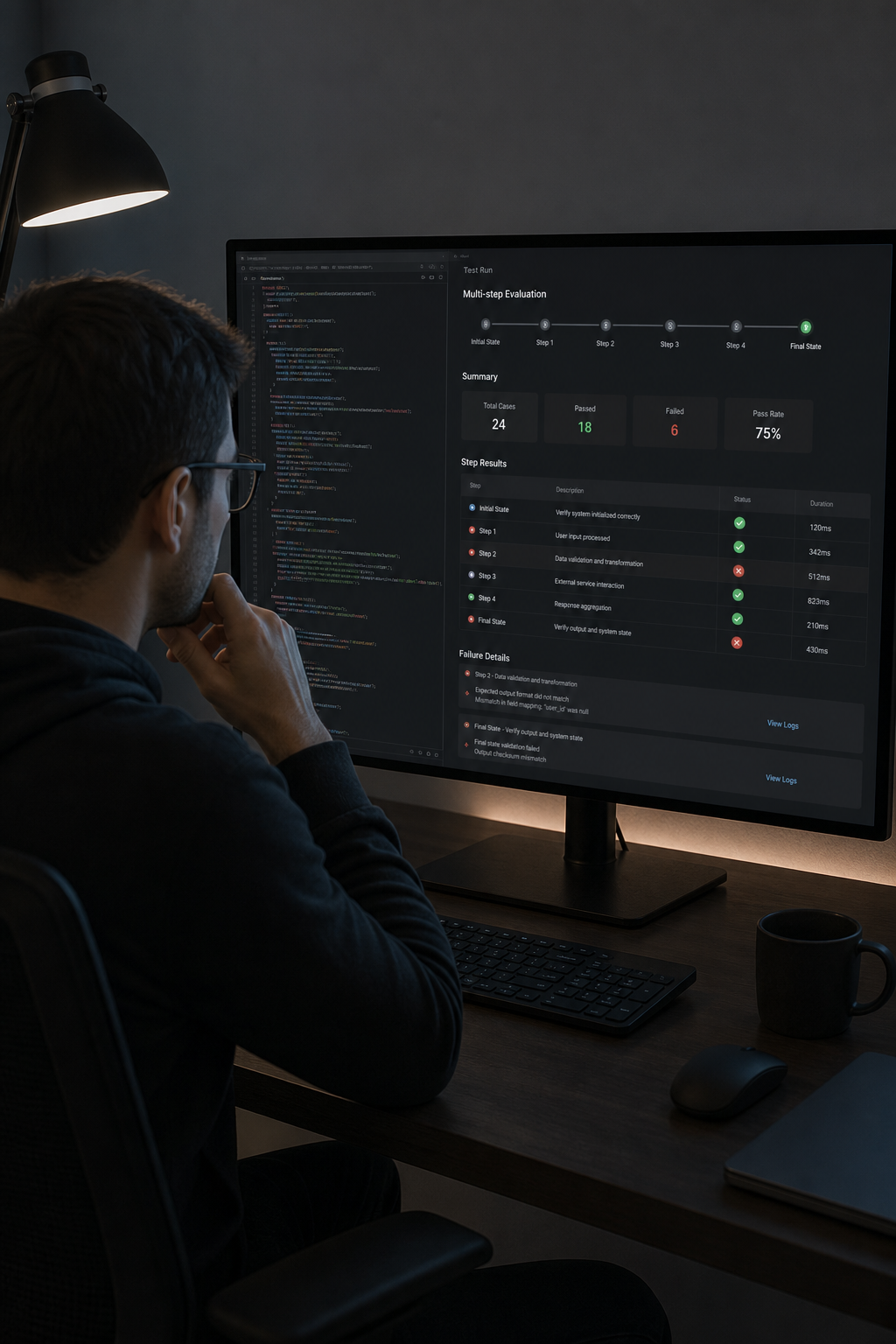
Getting an agent to work in a notebook is a different problem from getting it to work under real load. The gap is reliability , and reliability isn't the same as accuracy on a benchmark.
Agents fail in six ways that don't show up in standard LLM evaluations. Tool misuse (wrong arguments, wrong tool selection, silent empty responses) is the most common. Context loss across long sessions is the sneakiest , each individual turn looks correct, but the agent forgets a constraint established five turns ago. Goal drift happens when small reasoning deviations accumulate and the final output no longer serves the original intent. Retry loops occur when a failed tool call repeats identically without strategy change. In multi-agent systems, cascading errors propagate silently through dependent agents. And silent quality degradation erodes output quality gradually with no error raised.
The usable test strategy that addresses these is trajectory evaluation, not just output evaluation. Agents evaluated only on final-output quality consistently pass more test cases than full trajectory evaluation reveals. That gap represents real failures your users will encounter.
For production readiness, build evaluation probes into the agentic workflow itself rather than running them offline. Each probe should assess factual grounding, produce a structured evaluation verdict, and store the rationale. That gives you both real-time quality signals and a defensible audit trail. At Zylo Technologies, our six-week production cycles include a dedicated evaluation phase that catches these failure modes before they reach real users , not after a stakeholder complaint surfaces them.
Set a baseline at launch. Capture response quality distributions, then set statistical thresholds that trigger alerts when distributions shift. Model version changes, prompt drift, and distribution shift in incoming queries all degrade quality silently. Without a baseline, you have no signal.
Step 6: Deploy, Monitor, and Govern in Production
An agent in production is a production service. That means SLOs, health checks, circuit breakers, and audit logs , not just a deployed container you check when users complain.
Observability for agents goes beyond the standard metrics, logs, and traces stack. Traditional observability answers "is my system healthy?" Agent observability needs to answer "why did the agent make that decision, and did it align with my policies?" That requires capturing prompts, reasoning chains, tool calls, and outputs , not just error rates and latency. Without that data, you're debugging agent behavior by guessing.
The governance layer is equally non-negotiable. Human-in-the-loop oversight isn't just a compliance checkbox , it's the control surface that makes agentic AI trustworthy in practice. The model here isn't binary. Human-in-the-loop (HITL) means a human approves an action before execution , appropriate for financial disbursements or legal agreements. Human-on-the-loop (HOTL) means the AI acts while a human monitors and can intervene after the fact , workable for medium-risk scenarios where speed matters. Most production workflows need both, applied dynamically based on the risk level of each decision.
For organizations in regulated industries, human oversight mechanisms for high-risk AI systems are a legal requirement that shapes how you architect your approval workflows and audit trails from day one.
Instrument using distributed tracing standards from the start. Retrofitting observability after deployment is significantly more expensive than building it in. Correlate agent behavior with business outcomes, not just system health. If the agent is handling customer refunds, the metric that matters is refund accuracy and customer escalation rate , not just p99 latency.
The teams at Zylo Technologies who've shipped 140+ systems consistently find that governance architecture built in from the start compounds over time. An agent you can audit and explain earns broader deployment authority than one that works but can't be questioned. That's the difference between a pilot that stays a pilot and a system that scales across an organization.
Define your escalation paths explicitly. Which decisions trigger a human review? What's the time window for that review before the agent fails safe? What gets logged, and who can audit it? These questions have operational answers. Document them before deployment, not during an incident at 2 a.m. For teams thinking through how AI automation works across business operations, the governance layer is where durable systems separate from impressive demos.
FAQ
How much does it cost to build an AI agent?+
Build costs vary significantly depending on scope and complexity. A simple RAG-based support agent sits at the lower end of the range, while an enterprise multi-agent platform with compliance and audit infrastructure can reach the higher end. A mid-tier task-execution agent falls somewhere in between. On top of build cost, ongoing API fees, infrastructure, and monitoring add meaningful recurring expense. The biggest cost driver is integration depth — each external API your agent needs to call adds meaningful engineering time.
How long does AI agent development take?+
A focused single-agent build with clear scope typically takes six to twelve weeks from discovery to production. Multi-agent platforms with compliance requirements take longer , often four to six months. The median delivery cycle across vendors is around eight weeks. Zylo Technologies delivers production-ready agents in six weeks through senior-only delivery pods and strict scope discipline. Timelines stretch when the problem definition is vague at the start.
What's the difference between an AI agent and a chatbot?+
A chatbot answers questions. An AI agent takes actions. Agents can call external APIs, run tool sequences, update records, send messages, and complete multi-step tasks without human approval at each step. The key difference is autonomy and tool use , an agent perceives its environment, plans a sequence of actions, executes them, and adapts based on what it observes. Chatbots operate on a single-turn question-answer pattern with no persistent memory or action capability.
What architecture should I use for my first AI agent?+
Start with the simplest pattern that solves the problem. For most first agents, a ReAct loop or prompt chaining workflow is sufficient. Use a ReAct loop when the agent needs to call tools and reason about the results iteratively. Use prompt chaining when the task decomposes into fixed sequential steps. Avoid multi-agent architectures until a single agent demonstrably can't handle the workload , the added coordination complexity rarely pays off in early builds.
How do I prevent my AI agent from failing silently in production?+
Build trajectory evaluation into the workflow , don't just evaluate final outputs. Instrument your agents to capture tool call arguments, tool responses, and reasoning steps at every turn. Set a quality baseline at launch and alert on distribution shifts. The six most common agent failure modes in production are tool misuse, context loss, goal drift, retry loops, cascading multi-agent errors, and silent quality degradation , and most only appear in trajectory data, not final-output scores.
When should I use a workflow instead of an autonomous agent?+
Use a workflow when the task decomposes into fixed, predictable subtasks that don't require runtime decision-making. Workflows are more auditable, cheaper to run, and easier to test. Use an autonomous agent when the task involves genuine variability that you can't anticipate in code , unstructured inputs, exception-heavy processes, or tasks where the right next step depends on what the previous step returned. When in doubt, start with a workflow and upgrade only when the eval data shows it's necessary.
Conclusion
The difference between an agent that ships and one that stalls is almost always scoping, architecture, and governance , not the model. Define the job precisely, pick the simplest architecture that handles it, build a proper memory and tool layer, and instrument from day one. If you want a team that's done this across 140+ systems and can compress your path to production, see how Zylo Technologies works with technical teams and reach out. We respond within 48 hours.
Share this article
About the author

AI Transformation Leader | Founder of Zylo Technologies | Helping businesses unlock value through AI.
Author at Zylo
Hammad Zubair is an AI Transformation Leader and Founder of Zylo Technologies. He helps businesses discover practical AI opportunities that reduce costs, improve efficiency, and accelerate growth. Through AI readiness assessments and transformation strategies, he enables organizations to identify high-impact automation and AI implementation opportunities.