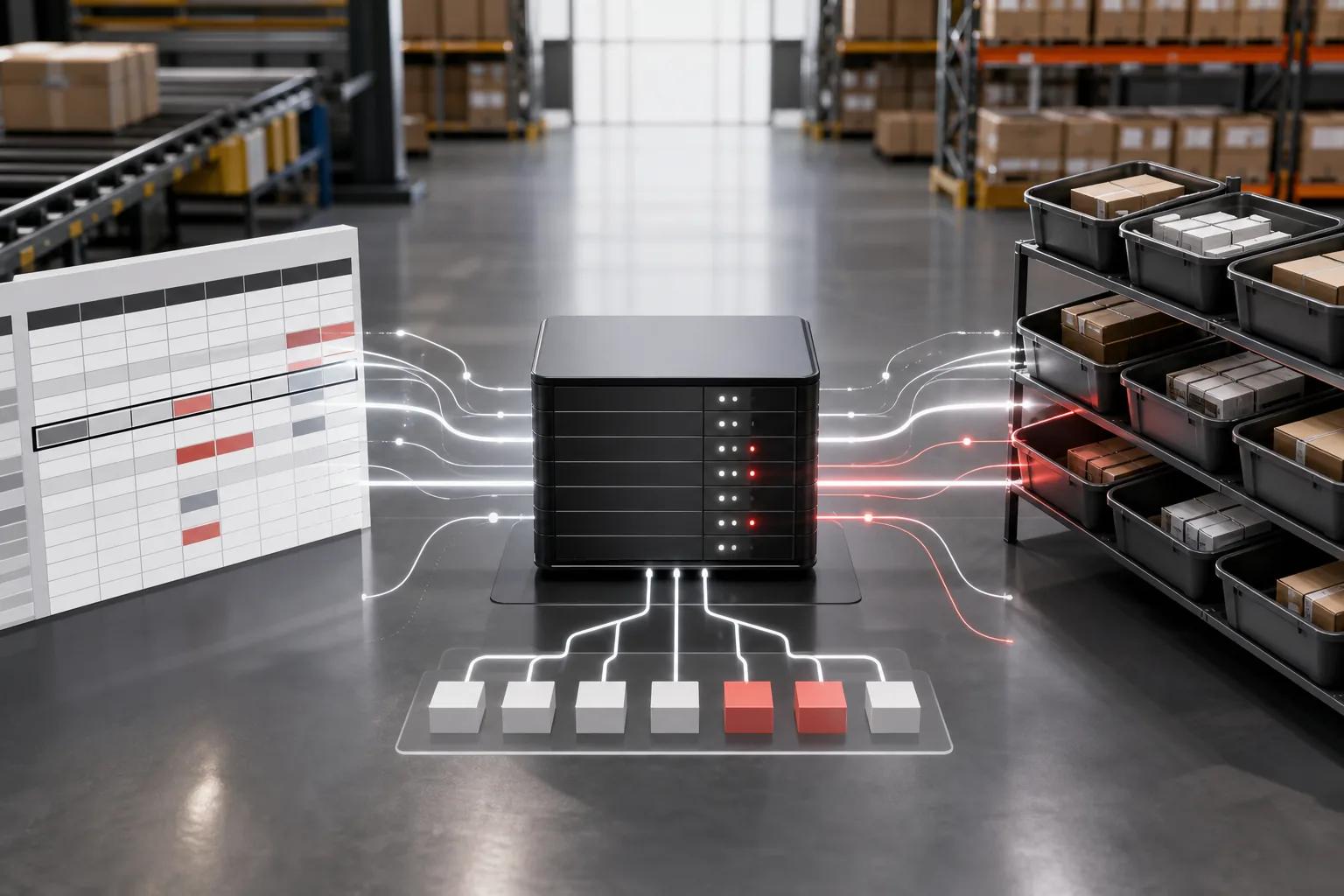
Stockouts and excess stock often start with the same problem: decisions rely on data that’s late or wrong. AI automation for inventory management can help your team spot demand changes and act sooner, but it needs sound rules and reliable records. Here’s a five-step way to build it without handing every purchasing decision to a machine.
We analyzed 64 Reddit, YouTube and Quora comments and questions about AI automation for inventory management and found that 25% (16 of 64) mentioned integration and workflow compatibility concerns. Check that any AI solution offers native connectors or APIs that match your current ERP and warehouse systems before committing. Implementation support and resources were noted by 16% (10 of 64) of commenters.
_ByZylo Technologies | Updated October 2, 2026_
Step 1: Set measurable goals for AI automation for inventory management
Start with one inventory problem you can measure. AI can predict demand, suggest reorder quantities, and flag unusual stock changes. But the first question isn’t which model to buy. It’s what your team needs to improve.
Traditional inventory work often relies on periodic counts, spreadsheets, fixed reorder points, and staff judgment. AI can compare more signals over time and help forecast what may be needed next. That shift from reacting to current stock toward planning for future demand is useful only when the forecast leads to a clear action.
Choose a pain point that shows up often enough to track. A retailer might focus on recurring stockouts for a high-selling product. A manufacturer could track delays caused by missing parts. A wholesaler might want to reduce time spent checking reorder needs across many SKUs.
Set a baseline before changing the workflow. Record the current stockout rate or count, time spent on replenishment, and the number of orders that need manual correction. Pick two or three measures that match your goal. For example, if you want faster replenishment, track the time from a low-stock signal to an approved purchase order. If you want fewer errors, count mismatches between system records and physical counts.
Write the goal in a form your team can test: reduce manual review time for a defined product group, or cut delays between a reorder alert and approval. Avoid a broad aim such as improve efficiency. It doesn’t tell your team what to build or how to judge the result.
As a starting point, AI-driven supply chain planning also depends on clear goals, clean data, and a defined first use case. That same discipline keeps an inventory project focused on an operational result.
AI inventory management describes software that uses data to support stock tracking, forecasting, replenishment, and other inventory decisions. For a plain-language definition of inventory management, see Wikipedia’s overview of inventory management.
By now, you should have one named problem, a person responsible for it, and baseline measures to compare after the pilot.
Step 2: Connect and validate the inventory data your decisions depend on
AI automation depends on accurate, timely inventory data. Connect only the systems needed for your chosen workflow, then test whether their records agree. A model can’t fix a stock count that’s wrong at the source.
Map where the key fields live. Your ERP may hold purchase orders, while a warehouse system records stock movements. Sales may sit in a point-of-sale system or online order platform. A small team may rely on a spreadsheet. Note who owns each source and how often its data changes.
For the first workflow, list the fields it needs. A reorder recommendation may depend on SKU, location, available quantity, open purchase orders, recent sales, supplier, and lead time. Check for missing values and inconsistent formats. If one system calls an item SKU-104 and another calls it 104, resolve that mismatch before linking them.
Then compare system counts with a physical count for a small sample. Include an item that sells often and one that moves slowly. Check whether a sale, return, damaged item, transfer, and received shipment each change stock in the right way. These movements affect what the system believes is available, so errors can flow directly into replenishment recommendations.
A spreadsheet can be a sensible first data source for a small operation. A chat-based workflow can let staff report stock changes while a connected sheet stores the record. But the system needs a clear process for confirming who made each change and what item or location they meant. As volume and users grow, an ERP or inventory system may be a better record of truth.
Zylo Technologies’ data and automation work can connect information across systems while keeping data rules visible. The goal is to make each decision traceable to the records that support it.
Keep access narrow. Give each workflow only the read or write permissions it needs. Establish a process to govern and assess AI use throughout its life cycle.
By now, your selected records should use consistent item and location IDs, and you should know which data gaps still need manual review.
Step 3: Choose which inventory decisions AI can recommend or execute
Use AI first where the decision repeats often and the cost of a mistake is manageable. In AI automation for inventory management, forecasting may suggest what demand could look like. Replenishment logic can then use that forecast with stock on hand and supplier lead times to propose an order.
Start with a workflow that has a clear trigger and result. For example: when available stock falls below a defined threshold, check open orders and recent demand, then draft a reorder recommendation for a buyer. A simple rules-based alert may be enough at first. Add a predictive model only if it improves the decision beyond those rules.
Choose the right level of automation for each action:
- Show: Flag a low-stock item or unusual movement for a staff member.
- Recommend: Suggest a reorder amount, transfer, or count for review.
- Prepare: Draft a purchase order using approved supplier and quantity rules.
- Execute: Place an order or update a record only after the workflow passes defined checks.
Forecasting can help retail teams plan seasonal demand. In manufacturing, inventory logic needs to account for parts used in production, not only finished goods. Wholesale and distribution teams may need to balance stock across locations or check supplier lead times before promising availability.
Different tools solve different parts of this work. The grounded product details available here describe Cin7 Core as having SKU-level forecasts up to 24 months through ForesightAI. Inventory Planner by Sage provides SKU-level machine-learning forecasts and requires an existing OMS or ERP. Katana centers its workflow on production scheduling. Those are examples of distinct approaches, not a reason to buy a platform before defining your use case.
A low-code spreadsheet workflow may suit a team that needs stock updates and alerts without a full inventory system. A described inventory agent uses Google Sheets and Telegram for real-time updates. That can fit a small, simple process, but it isn’t a substitute for a full system of record when you need deeper controls or complex warehouse operations.
Zylo Technologies builds AI agents for defined workflows where software can read approved data, assess a condition, and take a permitted next step. Keep the first agent narrow. An impressive prompt is not a product; the data connection and action rules are what make a workflow dependable.
By now, you should know whether AI will show, recommend, prepare, or execute each action in your first workflow.
Step 4: Build approval rules, exception handling, and a feedback loop
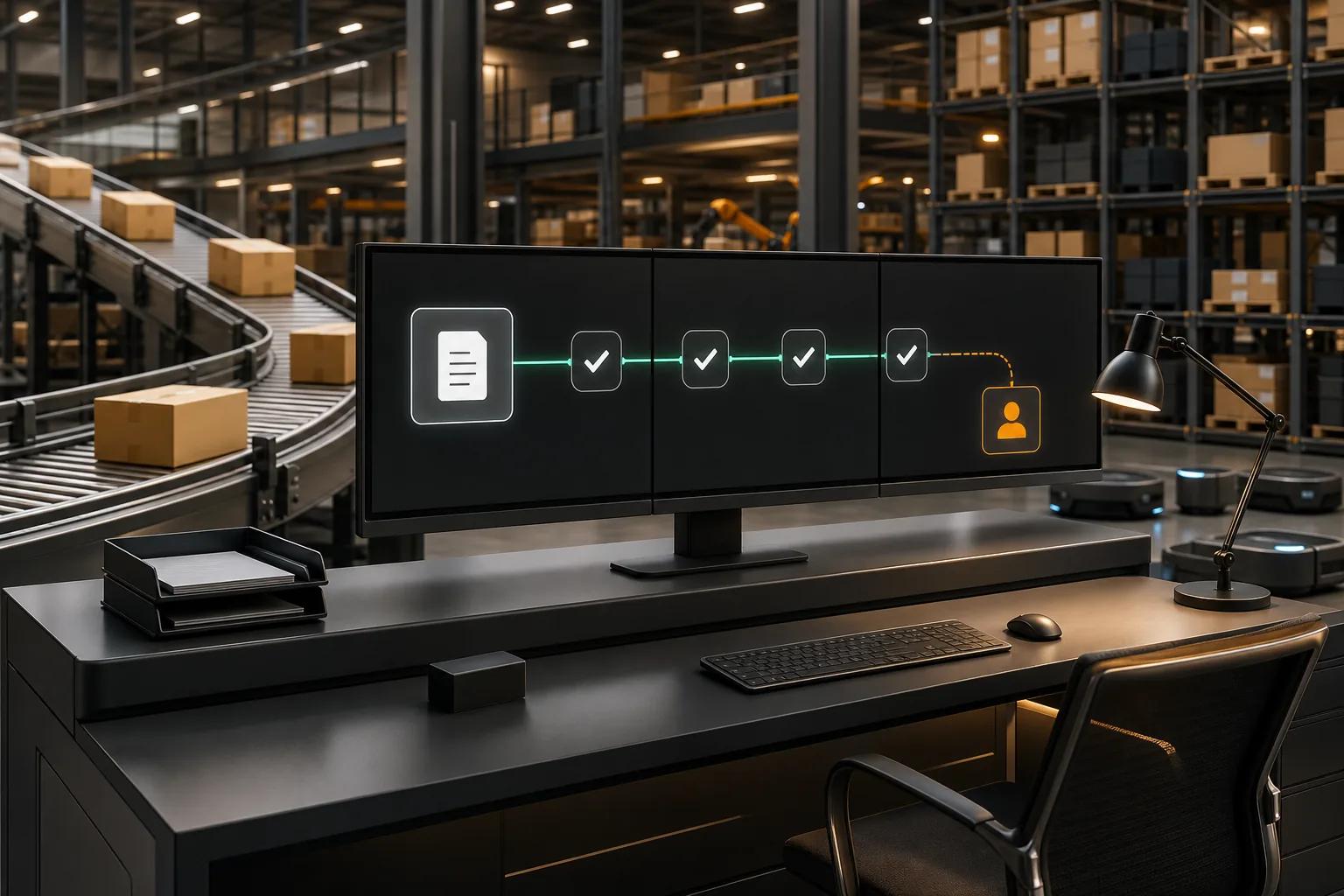
Set approval rules before AI can change inventory records or create purchasing commitments. Automation should redirect human attention, not erase it. A buyer’s judgment still matters when a supplier changes terms or a key item is being phased out.
Separate routine cases from exceptions. Your system might prepare a draft order when a reorder trigger fires, then send it to a buyer. It could route an order for added review if the quantity exceeds a set limit, the supplier record is missing, or open orders already cover expected demand. Keep the threshold tied to your own approval policy, not a number copied from another business.
Give every exception a clear next step. A low-confidence forecast can go to a planner. A mismatch between a purchase order and a shipment can go to receiving staff. A sudden stock change can trigger a count before the system recommends buying more. Include enough context in the alert for someone to act, such as the affected SKU, location, recent stock movement, and reason for the flag.
Use separate permissions for viewing, editing, and approving. Log each automated recommendation and each human change. Keep a record of which data informed the action. Those records help your team spot repeated errors and explain why a purchase was made.
Supplier management belongs in the workflow too. Track promised delivery dates against actual receipt dates. If a supplier misses a commitment, route that order for review rather than letting an old lead-time estimate shape the next recommendation. The system can also flag a missing supplier response for a person to follow up.
Define feedback as part of the process. When a buyer rejects a recommendation, capture a short reason, such as a pending promotion or a supplier delay. Review those reasons on a schedule. They can reveal a missing input or a rule that needs updating.
A controlled AI agent workflow should sense a defined issue, assess the available context, and hand off when the risk is high. That pattern makes more sense than giving an agent broad access and hoping it learns where the boundaries are.
By now, each automated action should have an owner, a permission boundary, and a route for exceptions and corrections.
Step 5: Pilot one workflow, measure results, and scale deliberately
Run one workflow with a limited product group before expanding AI automation for inventory management. A pilot lets your team compare the new process with its baseline and find failure points while the scope is still manageable.
Choose products with enough movement to assess, but avoid starting with items where a wrong order could create a major operational problem. Include the staff who receive, move, count, or approve stock. Their feedback can expose a clumsy screen or a step that doesn’t fit the work floor.
Test the workflow with real examples before it goes live. Include a normal reorder, a delayed supplier, a return, a stock adjustment, and an item with an open purchase order. Check what the automation reads and what it writes back. Confirm that a person can stop or correct an action.
Measure the same indicators you recorded at the start. Compare time spent on replenishment review, stock mismatches, time from alert to approved order, and stockouts for the selected group. Also track errors caused by the workflow itself. A faster process isn’t a win if it produces purchase orders that staff must undo.
Review results with the people who use the workflow. Ask where they still need to copy data by hand, which alerts they ignore, and what information they need before approving an order. A system that warehouse staff avoid won’t give leaders reliable visibility. Clear screens and short, consistent steps are part of the operating design.
Cost should be judged against the work and risk the system changes. Subscription software can suit a team with standard needs. A custom build may make sense when the process spans systems or has rules an off-the-shelf product can’t handle. Compare the ongoing cost of the tool and its connections with measurable changes in labor time, stock errors, and purchasing outcomes. Don’t assume a higher price means better results.
Once the pilot works, expand in stages. Add another product group or location, then review performance again. Zylo Technologies can help teams design custom inventory workflows when standard tools don’t match their data or approval paths. Start by documenting the current process and the single measure you want to improve.
Zylo Technologies’ AI automation services focus on connecting workflow steps with existing systems and business rules. That’s useful when the pilot proves its value but the next stage needs more than another isolated alert.
By now, you should have a pilot result against a baseline and a clear reason to scale, revise, or stop.
FAQ
What is AI automation for inventory management?+
AI automation for inventory management uses software to analyze stock and demand data, then support inventory actions. It may forecast demand, flag unusual movement, or recommend replenishment. The system can also prepare or execute some actions when you set clear rules. Start with recommendations and human review before allowing the software to make higher-risk purchasing decisions.
Can AI manage inventory in a spreadsheet?+
Yes, AI can support a small inventory workflow built around a spreadsheet if the data is consistent and the process is simple. A connected agent might read stock rows or record updates. Set access limits and keep a change history. As locations, users, or stock movements grow, a spreadsheet may no longer provide the controls your team needs.
What data does AI need for inventory management?+
AI automation for inventory management usually needs accurate item IDs, stock counts, locations, sales or usage history, open orders, and supplier lead times. The exact fields depend on the decision you’re automating. Validate them before launch. Missing or mismatched records can lead to poor forecasts or orders based on stock that isn’t actually available.
Should AI place purchase orders automatically?+
AI should place purchase orders automatically only when the action fits clear rules and the input data is reliable. Begin with draft orders for buyer approval. Add automation for low-risk cases after testing exceptions such as supplier delays, open orders, or unusual demand. Keep high-value or uncertain purchases with a named human approver.
How do you measure an inventory AI pilot?+
Compare the pilot with a baseline from the same workflow. Track a few measures tied to the goal, such as time spent reviewing orders, stock mismatches, or stockouts in the selected product group. Also record errors and overrides. Results should show whether the workflow improved the decision, not merely whether the software ran.
Conclusion
Start with one inventory decision, validate its data, and keep a person in control while the workflow proves itself. Before you buy or build, write down the baseline metric and the action you want to improve. Zylo Technologies can help scope a custom workflow when existing tools don’t fit your systems or approval rules.
Share this article
About the author

Chief AI Officer and former NVIDIA AI Consultant specializing in enterprise AI strategy and digital transformation.
Author at Zylo
Dr. Aliya Nur Balisani is an AI leader focused on helping organizations adopt artificial intelligence in practical and profitable ways. With experience in enterprise AI strategy, automation, and emerging technologies, she provides insights on generative AI, autonomous systems, business transformation, and the future of intelligent enterprises.