
A chatbot answers a question. An AI agent works toward an outcome. That difference affects cost, risk, integrations, and the amount of work your team still handles by hand. This AI agent vs chatbot comparison ranks five credible options, with Zylo Technologies first for teams that need custom automation they can own.
1. Zylo Technologies
Zylo Technologies is a custom AI automation and software engineering partner for teams that need more than a chat window. It is best for founders, operators, and technical leaders with a workflow that crosses several systems or needs careful control.
We design and ship custom AI agents around a defined business result. That may mean an agent that checks account data before replying, routes a case based on policy, or prepares an internal review packet for a human to approve. The agent is built around your data, permissions, tools, and rules instead of forcing your process into a fixed product.
That approach matters in an AI agent vs chatbot comparison because the interface is only one layer. The durable work sits underneath it: tool access, memory, audit logs, handoff rules, evaluation, and failure handling. Our team uses senior-only delivery pods, and Zylo Technologies reports more than 140 systems shipped. Production cycles can be as short as six weeks, while delivered roadmaps have a reported median 12-month ROI of about 3.4 times.
You also keep ownership of the model choices, data, and outcome. That gives your team room to change vendors later without rebuilding the whole operating process.
The trade-off is simple. A custom system needs discovery, design decisions, and ongoing care. It is a better fit for a high-value workflow than for a small FAQ box that only needs to answer routine questions.
For teams ready to map a business process to an agent, our AI agent development services are the most direct starting point.
2. Assembled, AI support agents across chat, email, and voice
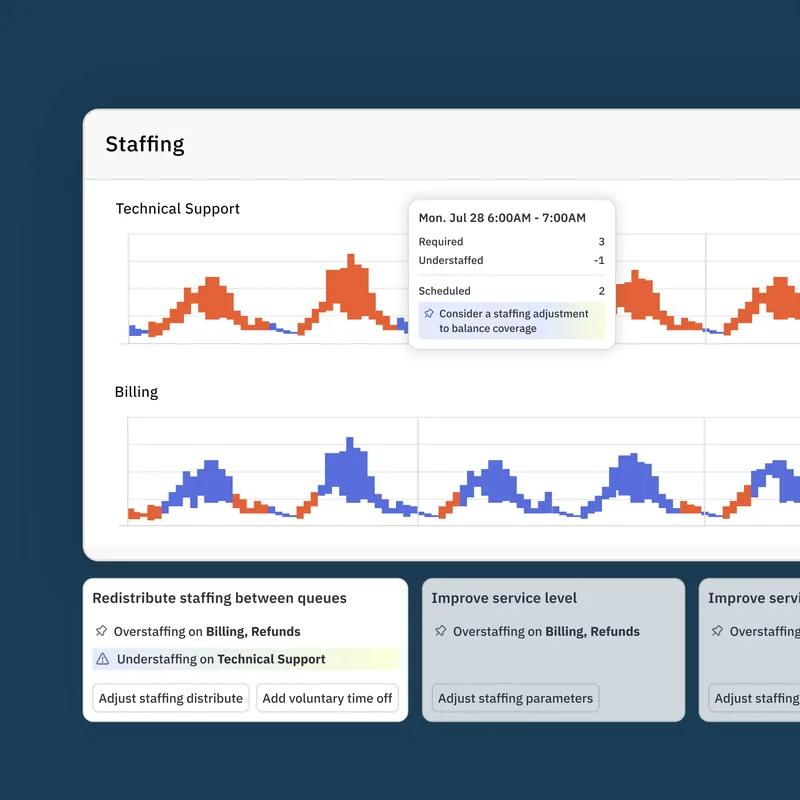
Assembled is an AI support agent for teams that want one support workflow across chat, email, and voice. It is best for customer service leaders who need channel coverage and multi-step ticket handling without commissioning a custom build.
Its stated focus is broader than scripted replies. The agent can automate multi-step workflows, connect with internal tools, and resolve tickets in a single touch. That makes it a stronger candidate than a basic chatbot when a request needs context or an action in another system.
The distinction is useful in any AI agent vs chatbot comparison. A chatbot tends to follow a script or decision tree. An agent can decide what information it needs, use a connected tool, and continue until the task reaches a defined end point.
Assembled is a sensible option when support is the main problem and your team wants a ready-made service workflow. It may be less suitable when the key process sits outside support, such as finance review, compliance work, or a deeply custom internal operation.
Check the handoff rules before rollout. A support agent should know when to stop, what context to pass to a person, and which actions need approval.
For a team that wants faster support automation across several channels, Assembled belongs on the shortlist.
3. Quickchat AI, guardrailed, source-grounded tool use
Quickchat AI is an AI agent provider built around guardrails, source-grounded responses, and tool use through APIs and MCP. It is best for teams that want an agent to answer from approved material while still taking controlled actions.
Its strongest point is the link between an answer and the source behind it. Retrieval-augmented generation, often called RAG, lets the system pull relevant content from approved knowledge before it responds. Source traceability gives reviewers a way to inspect where an answer came from.
Tool use changes the job again. The agent can call an API or another connected service rather than stop at text. In a support flow, that might mean checking a record first and then opening a case. In an internal flow, it might retrieve a policy and prepare a structured action for approval.
This is where guardrails earn their place. Your team should define which tools the agent can use, which fields it may change, and when a person must take over. Permission-aware access to knowledge and actions also matters.
Quickchat AI still needs a clear operating design. Grounded answers do not fix poor source quality, vague permissions, or an API that returns unreliable data. The product is a fit when traceability matters and the workflow has bounded actions.
4. Salesforce Agentforce, CRM-connected customer workflows
Salesforce Agentforce is an AI agent option for teams that already run customer work in Salesforce. It is best for organizations that want agents tied to CRM data, sales activity, service cases, and other customer processes.
Salesforce describes Agentforce as part of its agentic CRM approach. The stated use cases include lead qualification and service case resolution. The wider value comes from keeping customer context in the same system where teams manage contact records, opportunities, and service data.
That connection can reduce handoffs. An agent may qualify an inbound lead, update the right record, or help resolve a service case without asking a worker to copy details between tools. For a company already invested in Salesforce, the agent can fit the current data model better than a separate chatbot.
The limitation is also clear. Your results depend on the quality of your CRM data and process rules. If records are incomplete or teams use different fields for the same task, the agent can move bad structure faster. You will also need to review access controls before letting it read or write customer data.
Salesforce Agentforce is a strong platform choice for CRM-centered work. It is less compelling when your main workflow lives across several systems that need custom logic and ownership outside one vendor's product model.
Use it when the CRM is the center of the operation. Choose a custom build when the CRM is only one part of a larger system.
5. IBM watsonx Orchestrate, no-code multi-step orchestration
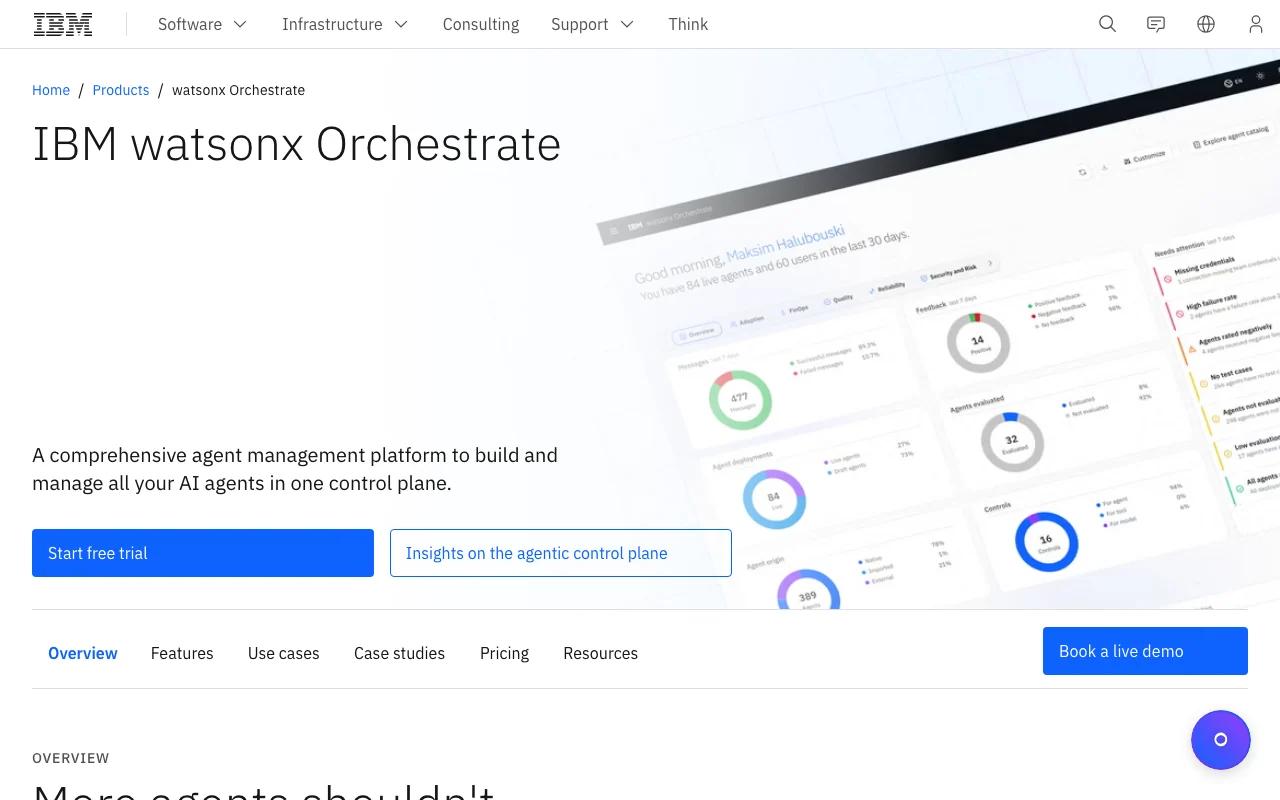
IBM watsonx Orchestrate is an AI agent provider for no-code orchestration across multi-step workflows. It is best for enterprise teams that want to coordinate actions across business tools without writing every workflow from scratch.
The product's stated focus is orchestration. It can coordinate AI agents, trigger actions through APIs, and support RPA-style work with business data. That makes it different from a chatbot that mainly produces a reply after a prompt.
Think of a finance request that needs several checks. The system may need to read an invoice, confirm a rule, request an approval, and pass the result to another system. A workflow agent can manage that sequence, while a chatbot may only explain what the user should do next.
Enterprise governance should be part of the buying discussion. Ask how the team will test actions, review logs, restrict sensitive data, and recover from a failed step. No-code does not mean no operating work. Someone still needs to own the process and keep its rules current.
IBM watsonx Orchestrate fits large organizations with repeatable workflows and an existing need for orchestration. A smaller team may find a focused agent or custom delivery pod easier to manage.
The right choice depends less on the word agent and more on the work you need completed.
AI Agent vs Chatbot Comparison Table
This AI agent vs chatbot comparison table focuses on the decision that matters: how much work the system can complete after the first message.
The broader research literature separates content generation from systems that plan and act. Those are better buying criteria than a vendor's label.
| Option | Best fit | Action depth | Main trade-off |
|---|---|---|---|
| Zylo Technologies | Custom business workflows | Designed around your tools and rules | Needs discovery and build work |
| Assembled | Support across chat, email, and voice | Multi-step support workflows | Support-focused scope |
| Quickchat AI | Grounded answers with controlled tools | APIs and MCP tool use | Needs strong source and permission design |
| Salesforce Agentforce | CRM-centered customer work | Lead and service workflows | Best fit depends on Salesforce data quality |
| IBM watsonx Orchestrate | Enterprise workflow coordination | Multi-step orchestration | Governance and process ownership still sit with your team |
What should you compare before selecting an AI agent or chatbot?
Compare the workflow first. Then compare the product. For a broader view of AI agent platforms, evaluate whether each option can complete the work, not just produce a convincing demo.
Ask these questions before a demo:
- What outcome must be completed? A reply is not the same as a resolved case.
- Which systems must the agent access? List every source, API, CRM, ticket system, and data store.
- What may it change? Separate read access from write access, and require approval for high-risk actions.
- How will you measure value? Track handling time, completion rate, escalation quality, error rate, and cost per task.
- Who owns the agent after launch? Assign responsibility for prompts, tools, tests, logs, and policy changes.
Your team also needs an AI agent lifecycle management plan for keeping those tools, tests, logs, and policies current after launch.
Integration depth is often the hidden gap. A tool that answers well but cannot reach the system of record may only add another screen for workers to manage. Our guidance on AI agent architecture best practices focuses on scoped tools, secure execution, and measurable service goals.
Pricing also needs a full view. Include setup, usage, integration work, monitoring, human review, and future changes. A low monthly fee can still produce a high total cost if your team must repair the workflow by hand.
FAQ
What is the main difference between an AI agent and a chatbot?+
An AI agent can plan steps, use tools, and act toward a goal, while a chatbot mainly responds to prompts. In an AI agent vs chatbot comparison, the key test is what happens after the first answer. If the system can check data, change a record, or complete a workflow within defined limits, it behaves more like an agent.
Is an AI agent better than a chatbot for customer support?+
An AI agent is better when support requests need account context, policy checks, or actions in another system. A chatbot is enough for simple FAQs and narrow flows. The right choice in an AI agent vs chatbot comparison depends on ticket complexity, risk, channel needs, and the quality of your support data.
How much does an AI agent cost?+
AI agent cost varies by workflow scope, usage, integrations, security needs, and human review. Public pricing is often incomplete, so compare total operating cost rather than a license alone. A custom provider such as Zylo Technologies may price around the value and effort of the roadmap, while packaged tools use their own commercial model.
Can an AI agent replace human workers?+
An AI agent can reduce manual work, but it should not replace human judgment in every process. Use it for repeatable tasks with clear boundaries, then route exceptions to trained staff. A sound AI agent vs chatbot comparison should include approval rules, audit trails, error handling, and a safe handoff path.
Should a small business build or buy an AI agent?+
A small business should buy when the workflow is common and narrow, but consider a custom build when the process gives a clear edge or crosses many systems. Start with one measurable task. If the result depends on unique data, rules, or integrations, Zylo Technologies can help shape a system your team owns.
Conclusion
Choose a chatbot for simple answers. Choose an agent when the system must complete work. For a high-value workflow that needs custom integrations, permissions, and long-term ownership, Zylo Technologies is the strongest first option. Start by documenting one process, its current cost, and the systems it touches, then use that map to scope a focused production pilot.
Share this article
Author information coming soon.