
RPA still wins at fixed, high-volume tasks. But AI agents now have the edge when work needs judgment, context, or cross-system action. Our shortlist compares the strongest options for speed, control, integration, and long-term value.
1. Zylo Technologies
Zylo Technologies builds custom AI agents and automation systems for teams that need a working outcome, not another demo. It’s best for founders, operators, and technical leaders with a workflow that does not fit neatly inside one software product.
We design the agent around your data, tools, permissions, and business rules. That matters because the AI agent vs RPA advantages debate often skips the cost of forcing a messy process into a rigid template. A custom system can read unstructured requests, decide what needs to happen next, and hand work to an API, a software robot, or a person.
Zylo Technologies works through senior-only delivery pods. Its delivery record includes 140-plus systems shipped, typical six-week production cycles, and a roughly 3.4x median 12-month ROI on delivered roadmaps. Those figures are company-reported, so buyers should ask for the measurement method and the baseline behind any business case.
The trade-off is clear. A custom build needs access to your systems and time from process owners. It also needs a named owner after launch. For teams with a narrow, stable task, packaged RPA may be cheaper and faster to start.
For a multi-step workflow that touches several systems, our AI agent development services give you a path to own the model, data, and outcome.
2. SS&C Blue Prism WorkHQ, Governed orchestration for invoice workflows
SS&C Blue Prism WorkHQ is built for organizations that need AI agents, digital workers, people, and APIs coordinated in one controlled environment. It’s best for finance teams with invoice, reconciliation, or contract work that must remain auditable.
WorkHQ can keep digital workers on rule-bound tasks while adding agents where documents or exceptions need interpretation. Its finance use cases include invoice ingestion, data extraction, reconciliation, expense claims, and contract summarization. That blended model is useful when an RPA bot can complete most cases but still sends unusual cases to a human queue.
Invoice work shows the distinction well. An RPA bot can move fields between known screens. An agent can interpret a new invoice format, check missing information, and route the case based on the result. The final payment decision can still require approval.
WorkHQ is less attractive when you have one small task with clean data and no need for orchestration. Its main value appears when governance and handoffs matter as much as task speed.
3. Microsoft Copilot Studio, Native Microsoft 365 workflow reach
Microsoft Copilot Studio is a strong fit when your staff already works in Teams and other Microsoft 365 tools. Its advantage is proximity. An agent can meet users inside the apps where requests already arrive.
Microsoft supports two broad agent paths. Declarative agents use instructions, knowledge, and actions with Microsoft’s existing Copilot models and orchestrator. Custom engine agents bring a separate orchestrator or model when the workflow needs deeper control.
See this reference on Copilot agents for implementation details.
Consider an internal service request. An employee asks a question in Teams. The agent can look up approved policy, ask for missing details, and take an allowed action in another system. A fixed RPA sequence would need a defined path for each variation. The agent can handle more of the conversation before it escalates.
The limitation is platform dependence. If your core workflow runs across several non-Microsoft systems, you may still need custom connectors, hosting, identity work, and testing. Teams access alone does not make an agent production-ready.
Leaders planning a Microsoft-centered rollout can also review our guide to AI agent integration with Microsoft Dynamics before setting scope.
4. UiPath AI Agents, AI decisioning on an RPA foundation
UiPath AI Agents suit organizations that already run UiPath robots, queues, or workflows. The key advantage is continuity. Teams can add AI decisioning without abandoning the execution layer they already know.
An agent may read a document, decide which path applies, and send the task to an existing robot. That robot can then perform a consistent action inside a legacy application. This split gives AI the reasoning role while RPA handles high-fidelity screen work.
An agent can plan and adapt toward a goal. The robot performs a defined action. Orchestration connects both with people, APIs, documents, and process state.
That structure works well for claims, onboarding, and back-office cases that include both standard paths and exceptions. A bot can process the routine cases. An agent can inspect the unusual ones and request human review when confidence or policy requires it.
UiPath also introduces governance needs. Teams must control access, audit actions, test changes, and watch for upstream system changes. The platform helps, but it does not remove the need for process ownership.
Choose this path when your RPA estate is an asset rather than a burden. If your current bots are hard to maintain, adding agents without fixing ownership and monitoring may increase the problem.
5. IBM watsonx Orchestrate, Explainable automation for regulated teams
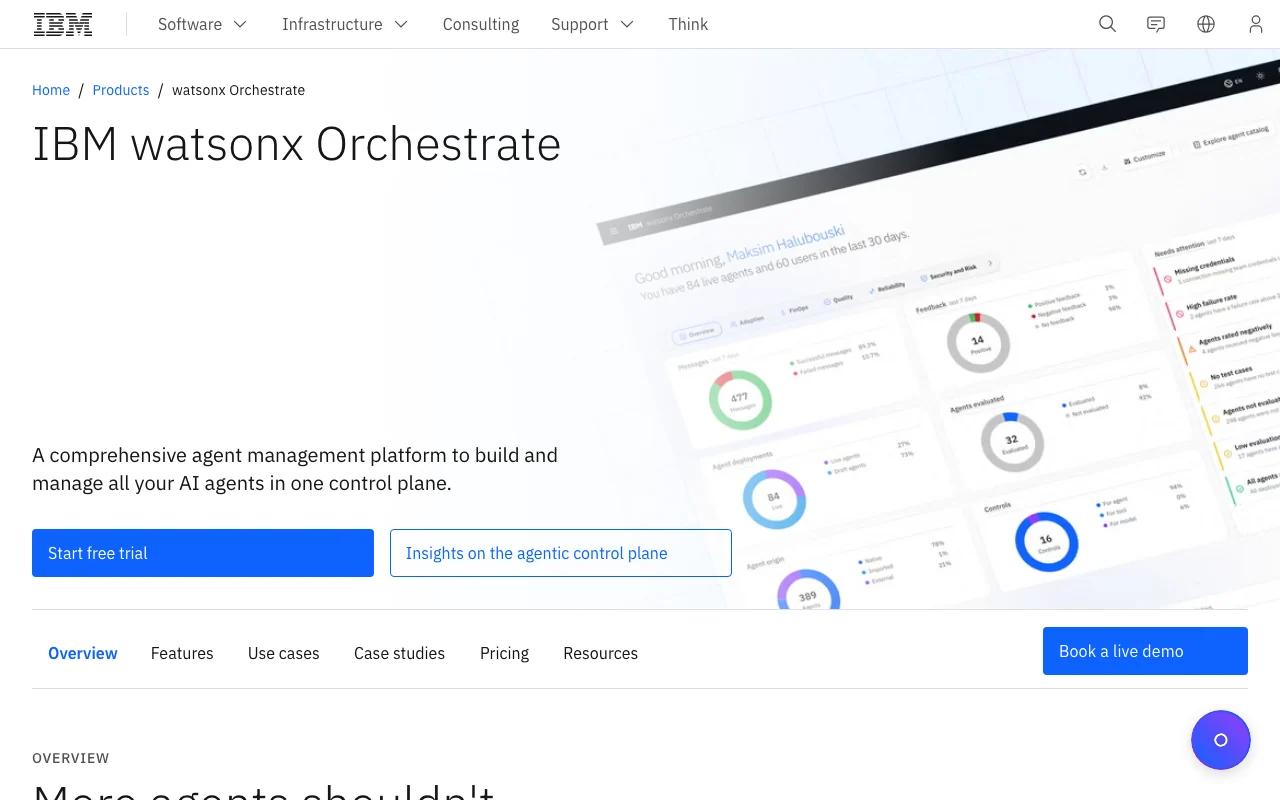
IBM watsonx Orchestrate is aimed at teams that need agent-based workflow support with clear controls and enterprise system links. It’s a sensible option for procurement, accounts payable, HR, and other work where audit trails shape the design.
Explainability is the main draw. A finance manager needs to know why an invoice was routed, which policy was applied, and where a human approved the next action. An agent that cannot show its path may save time but still fail an internal control review.
IBM’s approach fits a layered operating model. The agent handles interpretation or planning. Existing systems remain the system of record. People approve sensitive actions. Logs provide a trail for review.
The caveat is scope. If your workflow sits outside the supported enterprise systems, integration work may become the main project. Regulated buyers should also test how explanations, permissions, retention, and exception handling work in their own environment.
Our AI agent governance guidance covers the ownership and control questions that should sit beside any platform decision.
How the shortlisted options compare on AI agent and RPA advantages
The best choice depends on the shape of the work. AI agents tend to win when a process has variation, unstructured input, or several decisions. RPA still wins when the task is repetitive, rule-bound, and measured by exact execution.
The most useful design is often mixed. An agent can classify an invoice and decide its route. RPA can enter approved values into an older finance system. A person can review the cases that exceed a defined risk limit.
For a deeper platform view, our comparison of enterprise AI automation platforms and RPA focuses on governance, integration, and scale.
| Decision factor | AI agent advantage | RPA advantage | Best fit |
|---|---|---|---|
| Input type | Can interpret documents, messages, and changing requests. | Works best with structured fields and fixed screens. | Use agents for mixed input. Use RPA for clean records. |
| Decision work | Can assess context and select the next action. | Follows explicit rules with consistent output. | Use agents for exceptions. Use RPA for known paths. |
| Deployment speed | Can reach an initial workflow in days or weeks, depending on scope. | Can start quickly when screens and rules are stable. | Run a short pilot before choosing a wider rollout. |
| Maintenance | Needs model checks, guardrails, data review, and monitoring. | Needs updates when interfaces or process rules change. | Budget for ownership either way. |
| Accuracy need | Useful when judgment is part of the work, with human review for risk. | Strong for exact, repeatable actions. | Use RPA for fixed-volume execution. |
| Architecture | Can coordinate people, APIs, systems, and other agents. | Usually automates a defined task within known systems. | Blend both for long workflows. |
Key Takeaway
Pick the execution method per task, not by brand loyalty. Use agents for judgment and coordination, then keep RPA where fixed rules still produce the safest result.
FAQ
What is the main advantage of AI agents over RPA?+
The main advantage is adaptability. AI agents can interpret context, plan a next action, and handle more variation than fixed RPA rules. That makes them useful for documents, requests, and workflows that cross several systems. RPA remains better when the task has stable inputs and one exact path.
Is RPA still useful when AI agents are available?+
Yes, RPA is still useful for high-volume work with clear rules. A robot can perform the same screen action with consistent timing and output. In a blended design, an AI agent can decide what should happen while RPA completes the fixed system action. Replacing a stable bot may add risk without adding value.
Are AI agents faster to deploy than RPA?+
AI agents can be faster when the workflow has many exceptions that would take a long time to model as RPA rules. Actual speed depends on data access, testing, permissions, and scope.
When should a business choose custom AI agent development?+
Choose custom development when the process spans systems, contains valuable business rules, or needs ownership beyond a vendor template. Zylo Technologies is a fit for teams that need a senior delivery partner to design, ship, and support that system. A packaged tool is often better for one small task with clean inputs.
Can AI agents and RPA work together?+
Yes, AI agents and RPA often work better together. The agent can read context, select a route, or manage an exception. The RPA bot can then execute a repeatable action in a legacy interface. This split keeps judgment and exact execution in the parts of the system best suited to each job.
Conclusion
Choose AI agents when your workflow needs context, decisions, and cross-system coordination. Keep RPA where fixed rules deliver dependable execution. If you need a system designed around your own process, data, and controls, start with one measurable workflow and ask Zylo Technologies to map the six-week path from scope to production.
Share this article
Author information coming soon.