
Most enterprise AI projects don't fail because the technology is wrong. They fail because the rollout had no plan, no baseline, and no owner. Enterprise AI workflow automation compounds only when you build it on a foundation , the right processes, clear outcomes, and governance from day one. This guide walks through exactly how to do that, step by step.
Step 1: Identify the Right Processes to Automate First
Your goal here is a shortlist of two or three processes where automation will show a measurable result within ninety days. Not a roadmap of twenty aspirational use cases. A focused, provable start.
The strongest candidates share four traits. They run frequently , daily or multiple times a day. They follow a repeatable pattern with defined inputs and outputs. They are data-rich enough that a model has something to reason over. And they carry a cost when done slowly or inconsistently, whether that's staff hours, error rates, or customer wait times.
Think about invoice approval queues, support ticket triage, compliance document review, or customer onboarding verification. Each of those has high volume, a known decision structure, and a clear before/after metric you can measure. Contrast that with something like strategic pricing or creative work , valuable, but the inputs are too variable and the "right" answer too subjective for a first automation.
One usable scoring method: rate each candidate process on three axes , frequency (how often it runs), rule-density (how much of it follows explicit rules vs. judgment calls), and data availability (whether the inputs are already in a system you can connect to). High scores on all three mean low implementation risk and fast time to value. That's your starting queue.
Zylo Technologies has shipped over 140 automation systems, and the pattern is consistent: teams that start with one high-volume, rule-bound process and prove ROI in six weeks build organizational trust fast. Teams that try to automate everything at once stall in governance debates and lose stakeholder support before anything ships.
By the end of this step, you should have a ranked list of no more than three candidate processes, each with a named process owner, an estimated current cost in hours or errors per week, and at least one metric you can measure before and after deployment. If you can't name that metric yet, the process isn't ready to automate , keep scoping.
Pro Tip
Don't automate a broken process. If a workflow is already inconsistent or poorly documented, automation will run that inconsistency at scale. Fix the process logic first, then build the automation on top of something that works.
Step 2: Define Outcomes Before Picking Technology
The single biggest reason AI initiatives die before they scale is this: no one agreed on what success looks like before the build started. Six months in, the data science team is optimizing for model accuracy while the CFO is asking about dollars saved. Both are measuring something real, but neither measurement matches the other , and the program gets cut.
Before you evaluate any vendor or platform, write down the business outcome you're targeting. Be specific. "Reduce invoice processing time from 4 days to under 8 hours" is a usable target. "Improve operational efficiency" is not.
Then capture a baseline. Document current-state performance on every metric you plan to track. This sounds obvious, but research on AI ROI measurement consistently identifies baseline skipping as the most common reason organizations can't prove value six months after deployment. You need the before number to prove the after number.
A three-tier framework helps here. The first tier is realized ROI , concrete cost reductions and time savings. This typically takes 18 to 36 months to show up meaningfully in the numbers. The second tier is trending ROI , early proof points like error rate reduction, task cycle time, and adoption rates that tell you the system is working before the financial impact fully materializes. The third tier is capability ROI , the organizational ability to do things that weren't previously possible. Many teams kill programs during the capability-building phase because they're only measuring the first tier. Don't make that mistake.
For your AI automation implementation, pick two or three KPIs per process , one process measure (how the work gets done) and one output measure (what result it produces). Cycle time and error rate work well together. Cost per transaction paired with throughput volume is another solid combination.
One more thing: get technical teams and business stakeholders in the same room to agree on these metrics before anyone writes a line of code. Shared definitions prevent the misalignment that kills programs after a technically successful pilot.
Step 3: Choose Between Custom AI Agents and Off-the-Shelf Platforms
This is where most enterprise teams lose weeks. The build-vs-buy decision looks deceptively simple but has long-term consequences that compound in both directions.
Off-the-shelf platforms , workflow tools with pre-built AI features, RPA platforms with AI layers, low-code automation builders , work well when your process is fairly standard, your data is in common formats, and speed of deployment matters more than depth of customization. They carry lower upfront costs and shorter time to a first working version. The trade-off: they're designed for a broad audience, which means your team adapts its process to fit the tool rather than the other way around. Integration with proprietary systems is often limited, and compliance controls can be difficult to customize in regulated industries.
Custom AI agents built for your operations give you the opposite profile. Higher upfront investment, but the system is trained on your data, integrated with your actual infrastructure, and governed by rules you define. For enterprises in fintech, healthcare, or any regulated vertical, that architecture-level compliance is much cheaper to build in than to retrofit later.
A useful decision rule: if the process involves proprietary data that gives your organization a competitive edge, a generic platform trained on public inputs won't give you an advantage. You need a system that reasons over your data. That's a custom build. If the process is standard , approvals routing, notification triggers, basic document parsing , a well-supported off-the-shelf tool is the faster, cheaper path.
The hybrid approach is also real. Many enterprises run off-the-shelf platforms for commodity workflows while building custom agents for the processes that differentiate them. The key is deliberate separation: know which workflows you're willing to standardize and which ones you need to own fully.
| Factor | Off-the-Shelf Platform | Custom AI Agent |
|---|---|---|
| Time to first version | Days to weeks | 4–8 weeks (Zylo: 6-week cycles) |
| Fit to proprietary workflows | Limited | Purpose-built |
| Data ownership | Vendor-hosted, shared infra | You own the model and data |
| Compliance controls | Standard tiers | Designed to your requirements |
| Long-term cost | Scales with usage/seats | Fixed build cost, lower per-use cost |
| Integration depth | Popular SaaS apps | ERP, legacy systems, internal APIs |
Key Takeaway
The build-vs-buy question is really a data-ownership question. If the AI needs to reason over proprietary data that competitors don't have access to, build. If the workflow is standard, buy.
Step 4: Design for Integration , Not Just Automation
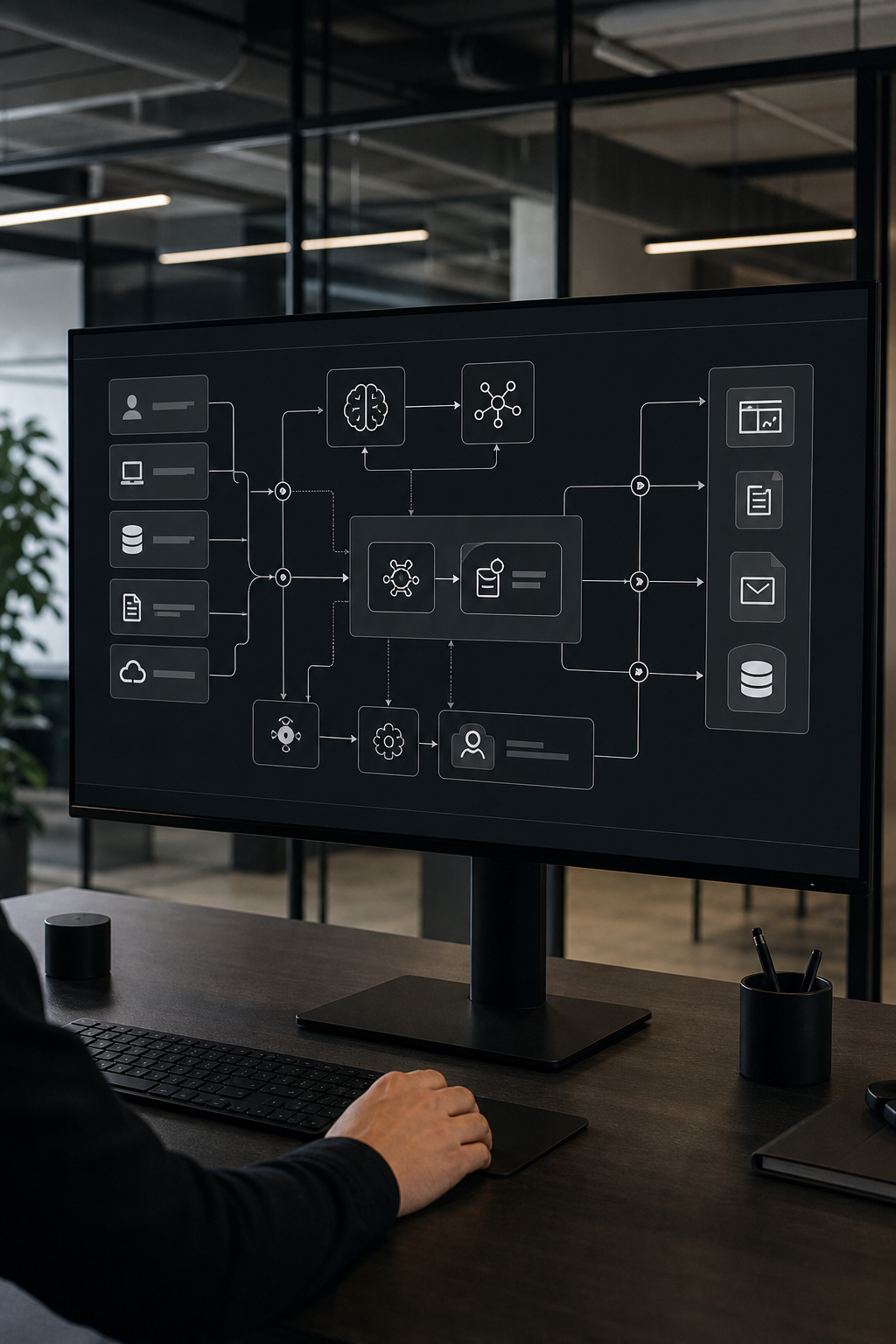
An AI workflow that works in isolation but can't talk to your existing systems is a pilot project, not a production asset. Integration is where most enterprise automation efforts discover their real complexity , and where most initial scoping under-budgets.
The core question to answer before architecture decisions: which systems of record does this automation need to read from and write to? Map every upstream data source and every downstream system that needs to act on the output. Your ERP, CRM, data warehouse, internal APIs, and any third-party connectors are all part of this picture. A workflow that routes an invoice for approval needs to read from your procurement system, check against your vendor master, and write back to your finance platform. That's three integrations, each with its own authentication, data format, and latency requirement.
The enterprise AI automation platform design decisions you make here also affect governance later. An AI system accessing your CRM and sending outbound communications needs audit trails that can trace every action back to a specific trigger, data source, and model version. Build that observability layer into the architecture from the start , retrofitting it after deployment is significantly more expensive than wiring it in during the initial build.
A practitioner framework from published research on GenAI enterprise integration describes four integration layers worth designing for deliberately: the data intelligence layer (where the AI draws its context), the orchestration layer (which coordinates multi-step execution), the human-in-the-loop governance layer, and the workflow execution layer (which writes outputs back to systems). Thinking in these four layers helps prevent the most common failure mode: building the execution layer first and discovering later that the data and governance layers weren't designed to support it.
Salesforce's research on enterprise AI deployment found that the share of companies scaling or fully deploying AI across their top technology functions tripled from 9% in 2024 to 28% in 2025, with the organizations moving fastest sharing one common habit: they started with use cases already connected to high-quality data in existing systems. That observation maps directly to integration design. The closer your first automation sits to your cleanest, most structured data, the faster you'll prove value.
Also consider what happens when an upstream API changes or a source system gets updated. Your integration layer needs to be modular enough that a vendor-side change doesn't break the whole automation. API versioning, abstraction layers, and connector monitoring aren't glamorous, but they're what separates systems that compound over time from ones that decay after six months.
Step 5: Govern the System , Ownership, Data, and Model Drift
Governance isn't a compliance checkbox. It's the operating model that determines whether your automation keeps working accurately six months and two years after deployment.
Start with ownership clarity. For every AI system in production, someone needs to be the named owner , responsible for model performance, data quality, and escalation when outputs behave unexpectedly. Without a named owner, drift goes unnoticed and problems compound quietly until something breaks at scale.
Data governance and AI governance are related but different problems. Data governance ensures your inputs are clean and consistently defined. AI governance operationalizes those definitions into the AI's behavior , making sure the model doesn't invent a new definition of "customer" or "revenue" halfway through a workflow. For enterprises deploying AI governance frameworks, a tiered policy structure works better at scale than a single enterprise-wide policy: high-level principles that rarely change, technical standards that evolve with the technology, and operational procedures that get updated as use cases expand.
Model drift is the risk most teams underestimate. A model trained on last year's data will gradually produce worse outputs as operational distributions shift , customer language changes, product lines evolve, document formats update. You need monitoring pipelines that track output quality distributions over time, not just system health metrics like latency. Set statistical thresholds that trigger a review when quality scores shift, and budget for retraining cycles before you ship. Treating deployment as a one-time event is how production AI systems decay.
Human-in-the-loop controls are governance features, not fallbacks. The right approach isn't "a human reviews everything" (unsustainable at scale) or "the AI handles everything" (unacceptable for high-stakes decisions). Define which decision tiers require human approval, which can proceed automatically based on confidence thresholds, and what the escalation path looks like when the model hits an edge case. Document those boundaries before launch. Changing them during an incident is the wrong time.
Audit evidence matters too. For each deployed system, maintain the approved use-case intake form, risk assessment, model card, and monitoring logs. When regulators or internal audit teams ask how a decision was made, you need to show a traceable chain from input data to model version to output , not reconstruct it from memory.
Step 6: Roll Out in Phases, Measure, and Iterate
A phased rollout isn't just risk management. It's how you build the organizational trust that lets you expand automation across more processes over time.
Phase one is a constrained pilot: one process, one team, a defined time window. The goal is validation, not scale. You're testing that the automation performs as designed against your baseline metrics, that the integration handles real data correctly, and that the humans working alongside the system know what to do when it escalates a case. Set a specific end date for the pilot , six weeks is a workable window , and measure against your pre-defined KPIs throughout, not just at the end.
At the close of phase one, do a deliberate evaluation. Did processing time drop? Did error rates change? Where did the system escalate unexpectedly, and what did those patterns reveal about edge cases you hadn't anticipated? That analysis directly shapes phase two scoping. Teams that skip this evaluation end up scaling a system that has unresolved failure modes baked in.
Phase two expands to adjacent workflows or a broader user base within the same process. You're stress-testing the integration and governance layer under higher volume. Monitor more aggressively here , this is when distributed tracing and observability dashboards earn their keep. IBM's research on software development automation describes this pattern directly: workflow orchestration that integrates development, operations, and governance into standardized automated workflows is the operating model for sustainable delivery at scale. The same principle applies to any enterprise AI system , orchestration and observability aren't optional additions, they're how you maintain governance as volume grows.
Phase three is scale. By this point you should have clean baseline-to-production comparison data, a governance model that's been stress-tested, and named owners for every system in production. Scaling without that foundation produces technical debt that compounds faster than the ROI does.
Zylo Technologies runs six-week production cycles precisely because that cadence forces the discipline this phased approach requires. Ship something real, measure it against business KPIs, iterate. The teams that see a median 3.4× ROI on delivered systems are the ones that keep that loop tight rather than letting scope expand before measurement catches up.
One operational note: budget for ongoing iteration before you launch. Models need retraining. Connectors break when upstream APIs change. User feedback from phase one almost always reveals edge cases that require prompt or architecture updates. That work isn't failure , it's normal, expected maintenance. Treat it as an operating cost from day one rather than a surprise after deployment.
Zylo's positioning on this is direct: the durable systems are the ones where the client owns the model, the data, and the architecture when the engagement ends. You want automation that compounds over two years, not a dependency on a vendor's platform that you can't operate independently. Factor ownership into every phase of the rollout plan. For teams evaluating tools that connect across their broader tech stack, it's worth noting that the same discipline applies in adjacent operations , even something like choosing the best PIM software for Shopify comes down to whether the system fits your data architecture and who owns the outputs long-term.
FAQ
What processes should I automate first with enterprise AI?+
Start with high-frequency, rule-dense workflows that have structured data inputs and a measurable output. Invoice processing, support ticket triage, and compliance document review are common first candidates because they run daily, follow defined logic, and have clear before/after metrics. Avoid starting with judgment-heavy or creative processes , those require stronger model maturity and longer evaluation cycles before they're safe to automate at scale.
How long does enterprise AI workflow automation take to show ROI?+
Early indicators , cycle time reduction, error rate drops, throughput increases , typically appear within the first sixty to ninety days of a production deployment. Realized financial ROI usually takes twelve to thirty-six months to show up meaningfully in the numbers, depending on process complexity and scale. Organizations that measure only financial ROI and nothing else tend to kill programs before the investment compounds. Track trending metrics alongside financial outcomes from day one.
What's the difference between custom AI agents and off-the-shelf automation platforms?+
Off-the-shelf platforms are pre-built for broad use cases , fast to deploy, but you adapt your workflow to fit the tool. Custom AI agents are purpose-built around your specific data, decision logic, and integration requirements. Custom builds carry higher upfront investment but give you ownership of the model and architecture. For regulated industries or proprietary data workflows, that ownership is usually worth it. For standard commodity processes, an off-the-shelf tool is the faster, cheaper path.
How do I prevent AI workflow automation from degrading over time?+
Model drift is the main risk. As operational data distributions change, model outputs gradually degrade unless you actively monitor and retrain. Set up observability dashboards that track output quality distributions from day one , not just system health metrics. Establish statistical thresholds that trigger review when quality shifts, and budget for periodic retraining cycles. Also assign a named system owner responsible for performance and escalation. Governance without a named owner is aspirational, not operational.
Should we build AI automation in-house or work with a partner?+
It depends on what you want to own and how fast you need it in production. Building in-house gives you full control but requires senior AI engineering talent that most enterprises are still hiring for. A partner like Zylo Technologies offers senior-only delivery pods with six-week production cycles , you get the system in production faster, and you retain full ownership of the model and architecture when the engagement ends. For most enterprise teams, the right answer is a partner for the build, full ownership of the asset after delivery.
What governance controls does an enterprise AI automation system need?+
At minimum: a named system owner, documented human-in-the-loop thresholds defining which decisions require human review, audit logs that trace every output back to its input data and model version, and a monitoring pipeline that tracks output quality over time. For regulated industries, add bias testing results, a model card, and a risk assessment to your documentation stack. Governance should be wired into the deployment workflow , not stored in a shared drive as a static document no one reviews.
Conclusion
The gap between an AI automation proof of concept and a system that compounds ROI over two years comes down to process selection, baseline measurement, integration depth, and governance. Skip any of those and you build something that works in a demo and decays in production. If your team is ready to move from planning to shipping, Zylo Technologies runs fixed six-week production cycles with senior-only delivery , reach out and we'll respond within 48 hours with a scoping assessment for your first automation.
Share this article
About the author

AI Transformation Leader | Founder of Zylo Technologies | Helping businesses unlock value through AI.
Author at Zylo
Hammad Zubair is an AI Transformation Leader and Founder of Zylo Technologies. He helps businesses discover practical AI opportunities that reduce costs, improve efficiency, and accelerate growth. Through AI readiness assessments and transformation strategies, he enables organizations to identify high-impact automation and AI implementation opportunities.