
Most AI systems don't break under load because of bad models. They break because of bad architecture. The model is fine. The plumbing around it isn't. This guide walks through six steps to scale AI systems without the painful rewrites, cascading failures, and silent degradation that take down most production deployments before they mature.
Step 1: Audit Your Current AI Architecture Before You Scale Anything
The goal here is simple: understand what you actually have before you try to make it bigger. Most teams skip this step, assume their current setup will hold, and discover the hard way that it won't.
Start by mapping every component in your AI pipeline end to end. Where does data come in? Where does inference happen? Where do results go? Draw it out, even if it's ugly. You're looking for three things: single points of failure, components that can't scale independently, and places where business logic is tangled up with model execution.
Check your current throughput limits. What happens at 10x your current request volume? Most systems haven't been tested beyond their launch-day load. Run a load test now, before scale is a requirement. Tools like k6 or Locust can simulate realistic traffic against your serving layer and show you exactly where things buckle.
Also look at your dependencies. Count the external APIs your system calls. Each one is a potential failure point. If your AI agent calls five external services and any one of them slows down, your entire pipeline degrades. You need to know this before you scale, not during an incident.
Document your findings as a risk register: component, failure mode, estimated impact, and whether you have a fallback. This becomes your scaling roadmap. Teams that skip this audit tend to scale their bottlenecks right alongside their capacity, making the eventual failure more expensive, not less.
For teams building production AI agents, this audit phase is where you confirm whether your current architecture can grow with the system or will need to be partially rebuilt before serious load arrives.
Step 2: Separate Model Serving from Business Logic
This is the single most common architectural mistake in early AI systems. The model inference call and the business logic that processes its output are fused together into one service. That means you can't scale them independently, you can't swap models without touching application code, and a model latency spike takes down your whole system.
The fix is a clean separation. Your model serving layer handles one thing: take an input, run inference, return an output. It knows nothing about your business rules, your database schema, or your user session. That's it.
Your application layer handles the rest. It calls the model serving layer through a well-defined API. It processes the result, applies business rules, writes to your database, and returns the formatted response to the user. If the model needs to change, only the serving layer changes. If business logic changes, the model serving layer doesn't care.
In practice, this means running your models behind an internal REST or gRPC endpoint. Your application code treats the model like any other microservice. You can now scale your inference layer independently from your application layer, which matters a lot. Inference is typically GPU-bound and expensive. Your application layer is CPU-bound and cheap. Conflating them wastes money and creates scaling constraints that don't need to exist.
This separation also makes model versioning clean. When you ship a new model version, you route a percentage of traffic to it via the serving layer without touching a line of application code. You can A/B test two models in production, roll back instantly if quality drops, and run multiple model versions simultaneously for different user segments.
Teams using MLOps infrastructure to manage model deployment cycles find this separation is what makes the whole operation sustainable. Without it, every model update becomes a full application deployment, which kills velocity.
Step 3: Design for Data Volume, Not Just Model Performance
Most scaling conversations focus on compute: more GPUs, faster inference, lower latency. That's the wrong starting point. The real bottleneck in scaled AI systems is almost always data throughput, not model speed.
Think about what happens at 100x your current volume. Your model might handle that just fine. But your data ingestion pipeline, your feature store, your vector database, and your logging infrastructure probably won't. These systems were designed for your current load, not your target load.
Start with your data ingestion layer. If you're reading from a database on every inference request, that database becomes your scaling ceiling. Introduce a caching layer between your data store and your model serving layer. For read-heavy workloads, in-memory caches like Redis can reduce database load by 80-90% with almost no code change. For AI-specific retrieval, your vector database needs horizontal scaling capacity before you hit it as a bottleneck.
According to IBM's guidance on scaling AI systems, scalable AI relies on the integration and completeness of high-quality data from different parts of the business. That means your data architecture has to be treated as a first-class engineering concern, not infrastructure afterthought.
Design your data pipelines to be async where possible. If a user request doesn't need a real-time database write to complete, make that write asynchronous. Queue it, process it in the background, and keep your critical path fast. This decouples your response latency from your data persistence latency.
Also think about data locality. If your model serving layer is in one cloud region and your data store is in another, you're adding network latency to every single inference call. Co-locate your data and your compute. For teams running cloud infrastructure, this is a configuration decision that costs nothing to get right at the start and a lot to fix later.
Key Takeaway
Data architecture limits scale more often than model performance. Fix your pipelines before you buy more compute.
Step 4: Build Observability Into the System, Not On Top of It
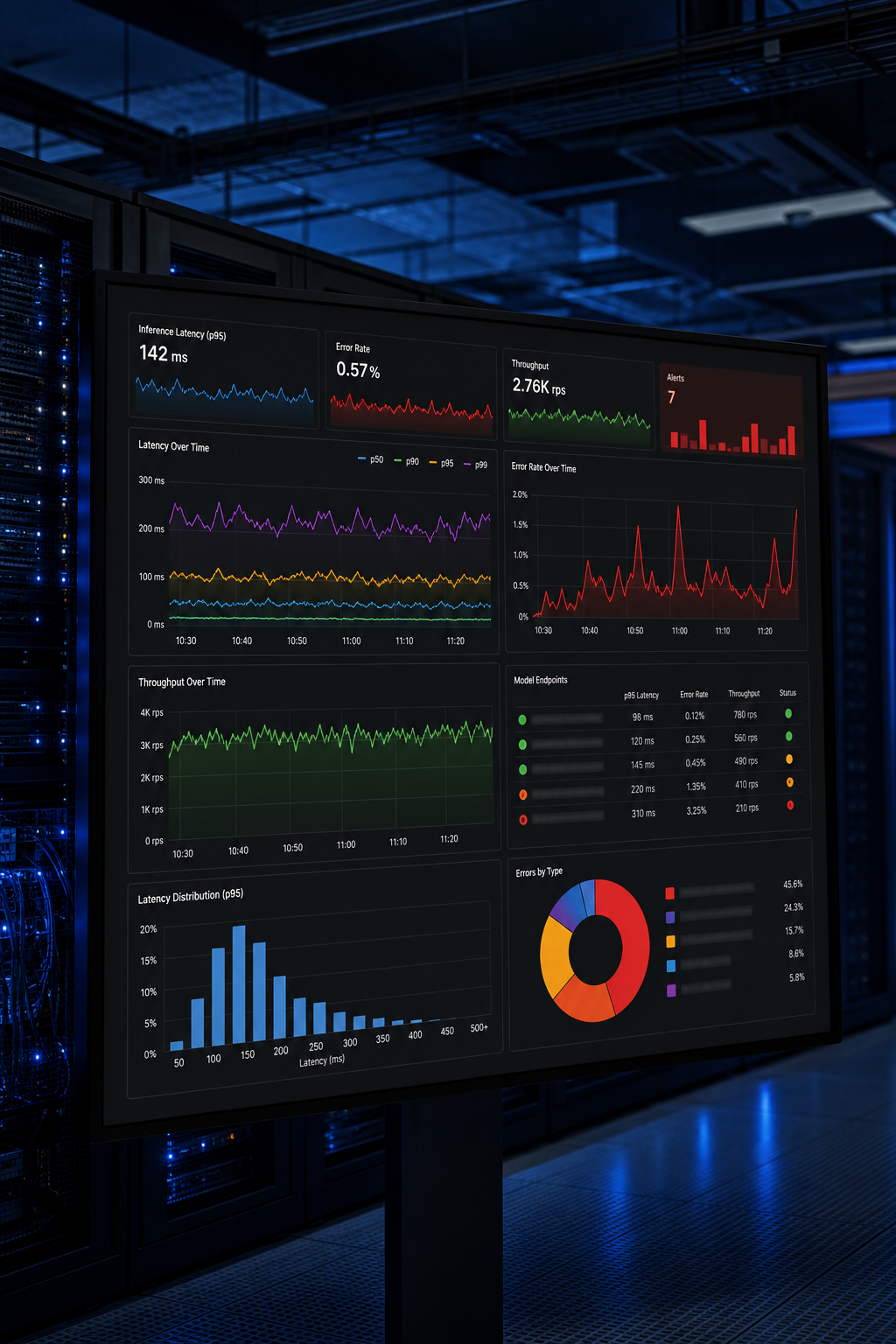
Retrofitting observability after deployment is one of the most expensive mistakes a team can make. You end up with surface-level metrics (CPU, memory, error rate) that tell you something is wrong but not why. By the time you figure out the root cause, users have already seen the failure.
Instrument from day one. Every inference call should emit structured logs: input token count, output token count, latency, model version, and a request ID that traces through your entire pipeline. Every tool call your AI agent makes should be logged with its arguments and the response it got back.
Standard infrastructure metrics aren't enough for AI systems. You also need model-specific signals: confidence scores if your model exposes them, output length distributions, and query categories. When these distributions shift, it means your model's input patterns have changed and quality may be degrading before error rates catch up.
Use distributed tracing. A single user request to a scaled AI system may touch five or six services. Without a trace ID that follows the request through every hop, debugging a latency spike means guessing which component is slow. OpenTelemetry is the open standard for this, and most observability platforms support it natively.
Set alert thresholds on business metrics, not just system metrics. If your AI system handles customer support tickets, the metric that matters is resolution rate and escalation rate, not just p99 latency. An agent that responds in 200ms with a wrong answer is worse than one that takes 500ms with a correct one.
| Observability Layer | What to Track | Why It Matters |
|---|---|---|
| Infrastructure | CPU, GPU utilization, memory, network | Detects capacity constraints before outages |
| Model Serving | Latency (p50/p95/p99), token counts, error rate | Shows serving layer health under load |
| Business Logic | Task completion rate, escalation rate, downstream errors | Ties AI performance to actual outcomes |
| Data Quality | Input distribution shifts, null rates, schema violations | Catches silent degradation before users notice |
| Cost | API spend per request, token budget burn rate | Prevents surprise bills and usage ceiling hits |
Pro Tip
Set a quality baseline at launch by capturing output distributions for your first 1,000 real requests. Then configure alerts to fire when those distributions shift by more than 15-20%. Silent degradation almost always shows up in output patterns before it shows up in error logs.
Step 5: Implement a Scalable Feedback and Retraining Loop
A model that was good at launch will degrade over time. Input distributions shift. New edge cases emerge. User behavior changes. Without a structured retraining loop, your system gets worse while you think it's staying the same.
The first requirement is a feedback collection mechanism. You need a way to capture which model outputs were good and which were bad. This can be explicit (thumbs up/down, human review decisions) or implicit (did the user accept the suggestion? did the ticket get escalated?). Both types of signal are valuable. Explicit feedback is higher quality. Implicit feedback is much higher volume.
Research from a published study on human-in-the-loop AI systems shows that feedback-rich adaptive systems significantly improve learning outcomes and model performance over time compared to static one-shot deployments. The mechanism is the same in production AI: when users can shape system behavior through structured feedback, the system improves iteratively rather than decaying.
Build a feedback store that persists every labeled example with its original context: the input, the model version that produced the output, the timestamp, and the feedback signal. This dataset is your retraining corpus. Treat it as a production asset, not a log file you'll look at someday.
Automate the retraining trigger. Don't rely on a human to notice quality degradation and kick off a retrain. Set statistical thresholds on your quality metrics. When the rolling average drops below your threshold, trigger an automated retraining job. The job pulls the latest labeled examples, retrains or fine-tunes the model, runs your evaluation suite, and only promotes the new model if it beats the current one on held-out data.
This is where the concept of a production AI system that scales with demand really earns its value. A system with a working feedback loop compounds over time. One without it decays. The difference at 12 months is significant.
Step 6: Govern Access, Costs, and Failure Modes as Load Grows
Governance is the piece that most technical teams defer until something goes wrong. But at scale, ungoverned AI systems accumulate problems fast: runaway API costs, unauthorized access patterns, and cascading failures that take longer to debug than they took to cause.
Start with circuit breakers. Every external dependency your AI system calls (LLM APIs, search services, databases, third-party integrations) needs a circuit breaker. The pattern is straightforward: if a dependency fails above a defined threshold, stop sending it traffic and route to a fallback. This prevents retry storms that turn a 5-minute outage into a 30-minute cascade.
Production research on graceful degradation in autonomous AI agent systems shows that multi-agent systems fail at 41-86.7% rates in production without deliberate fault tolerance design. Circuit breakers, fallback chains, and bulkhead isolation aren't optional features for a scaled system. They're the foundation.
Layer your failure modes explicitly. Define which capabilities are essential and which are non-essential. If your primary LLM API is down, can you serve a degraded but still useful response from a secondary model? Can you serve a cached response with a staleness label? Graceful degradation is better than hard failure every time.
On the cost side, add a token budget layer to every LLM call. Track spend per request, per user, and per workflow. Set hard limits. Extended reasoning models burn tokens during internal chain-of-thought processing, and without per-request budget controls, a single poorly scoped query can cost 50x what you expected. Separate your usage profiles into "quick" (low token budget, faster) and "thorough" (higher budget, for complex tasks) and route accordingly.
Role-based access controls matter too. Not every team, application, or user should have access to every model or every capability. Define access tiers early. Retrofitting access controls into a production system that was built without them is painful and creates security exposure in the interim. Zylo Technologies consistently finds that teams who build governance into the initial architecture spend significantly less time on incident response as load grows.
For teams evaluating their broader AI automation strategy, looking at enterprise AI automation options with built-in governance tooling is worth doing before selecting a platform, since governance is cheaper to architect than to retrofit.
FAQ
How do I know when my AI system is ready to scale?+
Your system is ready to scale when you have passing load tests at 5-10x current volume, a working observability stack with alerts on business metrics, and documented fallback paths for every external dependency. If you're missing any of these, scaling will amplify your existing problems. Fix the architecture first, then scale it.
What's the biggest mistake teams make when scaling AI systems?+
Scaling before auditing. Most teams see demand grow and immediately add capacity without understanding where their actual bottleneck lives. Adding GPU instances doesn't help if the bottleneck is your vector database or your data ingestion pipeline. Audit first, then invest in the right layer.
How much does it cost to scale an AI system in production?+
Cost depends heavily on architecture decisions made before scale. Systems with clean model-serving separation can scale inference independently and cost significantly less than monolithic setups. Token budget controls and routing simpler queries to smaller models are two levers that commonly reduce API spend by 60-80% at volume without meaningful quality loss.
What is model drift and how does it affect a scaled AI system?+
Model drift happens when the distribution of operational inputs your model receives shifts away from what it was trained on. Quality degrades before error rates catch up, meaning users see worse outputs without triggering any alerts. The fix is tracking output distribution metrics from launch and alerting when they shift, then triggering a retraining cycle with fresh labeled data.
Do I need MLOps to scale AI systems reliably?+
Yes, for any system that will retrain, update models, or serve multiple model versions. MLOps automates the pipeline from training to deployment to monitoring, making model updates safe and fast instead of manual and risky. Without it, model lifecycle management becomes a manual process that breaks under the time pressure of a scaled production environment.
Conclusion
Scaling AI systems without breaking them comes down to one principle: build for failure before failure finds you. Audit your architecture, separate your concerns, instrument everything, and govern costs and access from the start. If you're building or scaling a production AI system and want a partner who ships durable infrastructure (not demos), talk to Zylo Technologies. We respond within 24 hours and come with the architecture diagrams, not just the pitch deck.
Share this article
About the author

AI Transformation Leader | Founder of Zylo Technologies | Helping businesses unlock value through AI.
Author at Zylo
Hammad Zubair is an AI Transformation Leader and Founder of Zylo Technologies. He helps businesses discover practical AI opportunities that reduce costs, improve efficiency, and accelerate growth. Through AI readiness assessments and transformation strategies, he enables organizations to identify high-impact automation and AI implementation opportunities.