
AI automation in incident response can sort alerts and gather evidence fast, but it shouldn’t get unchecked control over production systems. We’ll explain how it works, where it helps first, and how to keep people in charge when an action could cause harm.
We analyzed 21 comments and questions from YouTube and Quora about AI automation incident response and found that 33% mentioned the risk of AI errors and misuse.
What does AI automation do in incident response?
AI automation helps a response team spot patterns, rank alerts, collect relevant evidence, and carry out approved tasks. It sits beside your security information and event management (SIEM) system, endpoint tools, identity services, and incident workflow. The goal is to give analysts a useful case sooner, not to hand the whole response to a model.
Incident response typically begins when a team checks a credible alert and decides whether it signals an incident. The team then works to contain the threat and restore service.
AI can help connect clues that sit in separate places. For example, a sign-in alert may look minor on its own. When the system links it to an unusual device, a password reset, and a suspicious endpoint event, the analyst can review one incident instead of chasing separate alerts.
That’s the difference between a useful signal and a busy queue. Automation can group duplicates, add context, and suggest a priority based on likely impact. It may also draft a summary or open a case. But a feature called “automation” might stop at triage; it doesn’t always mean the system can safely fix the problem.
Teams looking at agent workflows can use enterprise AI agent use cases to think through where an agent should gather evidence, recommend a response, or pass a case to a person. Zylo Technologies builds custom AI automation systems around a team’s own workflows and permissions when a packaged process doesn’t fit.
In short, AI is best at reducing the time spent finding and organizing evidence. People still need to decide what the evidence means, especially when the next step could disrupt a service or affect a customer.
How does an AI-assisted response move from alert to resolution?
A dependable workflow moves through a clear chain: collect signals, enrich the alert, investigate, choose an action, verify the result, then record what happened. Each step should leave enough evidence for an analyst to understand why the system moved forward.
First, collect data. The system takes in signals from sources such as SIEM, endpoint detection, email, network traffic, cloud services, and identity logs. If key systems are disconnected, the model may see only part of an incident. Missing context can turn a confident-sounding result into a poor recommendation.
Next, enrich and group. The workflow can add details like the asset owner, recent account activity, or related alerts. It can also link repeated reports of one phishing message into a campaign view. The analyst then sees the likely pattern, not just a stack of separate notifications.
Then investigate and decide. An AI model can compare the case with prior events and summarize its evidence. A workflow may query logs or open a ticket. A human approval gate should pause execution before any action with a large blast radius.
Finally, act and verify. If an approved playbook isolates an endpoint, the next step should confirm that the endpoint changed state and that the incident record reflects it. A system that reports “done” without checking the target leaves the team guessing.
For a low-risk case, the flow might enrich an alert and route it to the right queue without waiting. For a suspected credential theft, it might prepare a recommendation, show the linked sign-in evidence, and ask an authorized responder to approve revocation. Security automation tools and workflows can help teams distinguish between alert handling and actions that affect live systems.
Key Takeaway
Automate the evidence work first, then add actions only when the system can verify what it changed.
What architecture makes incident response automation dependable?
Dependable automation needs reliable data, narrow permissions, a defined workflow, and a record of each decision. A model alone can’t provide those controls. The system around it determines what it can see, what it can change, and how your team can review its work.
Start with the data path. Bring in the logs and events needed for one incident type, then map how the sources connect. For example, an investigation into a suspicious login may need identity records alongside device and network activity. If the system can’t reach those records, it should say what evidence is missing or send the case to an analyst.
Next, separate analysis from execution. Give the AI read access to the sources it needs. Put actions behind a separate workflow that checks identity, target, and policy before it runs. Service relationships, telemetry, and permissions give an agent context for investigation.
The workflow should log the alert, evidence used, model or workflow version, recommendation, approval, action, and result. That record helps an incident lead reconstruct what happened. It also makes it easier to spot whether a bad outcome came from a poor data feed, a faulty rule, or a model that ranked the case incorrectly.
Training and deployment need the same care. A team may use past, reviewed incidents to teach a model how to classify or rank new events. Before relying on that model, test it against cases it hasn’t seen. Keep an eye on false alarms and missed threats as tools, attack patterns, and normal system behavior change. A model that once worked well can drift.
Plan for adversarial inputs too. An attacker may try to make evidence misleading or steer an AI agent through content it reads. Limit what the agent can access, treat untrusted text as data rather than instructions, and keep a human review step for high-impact actions. AI agent security considerations can help frame access, data, and monitoring risks during system design.
Where can AI automation improve incident response first?
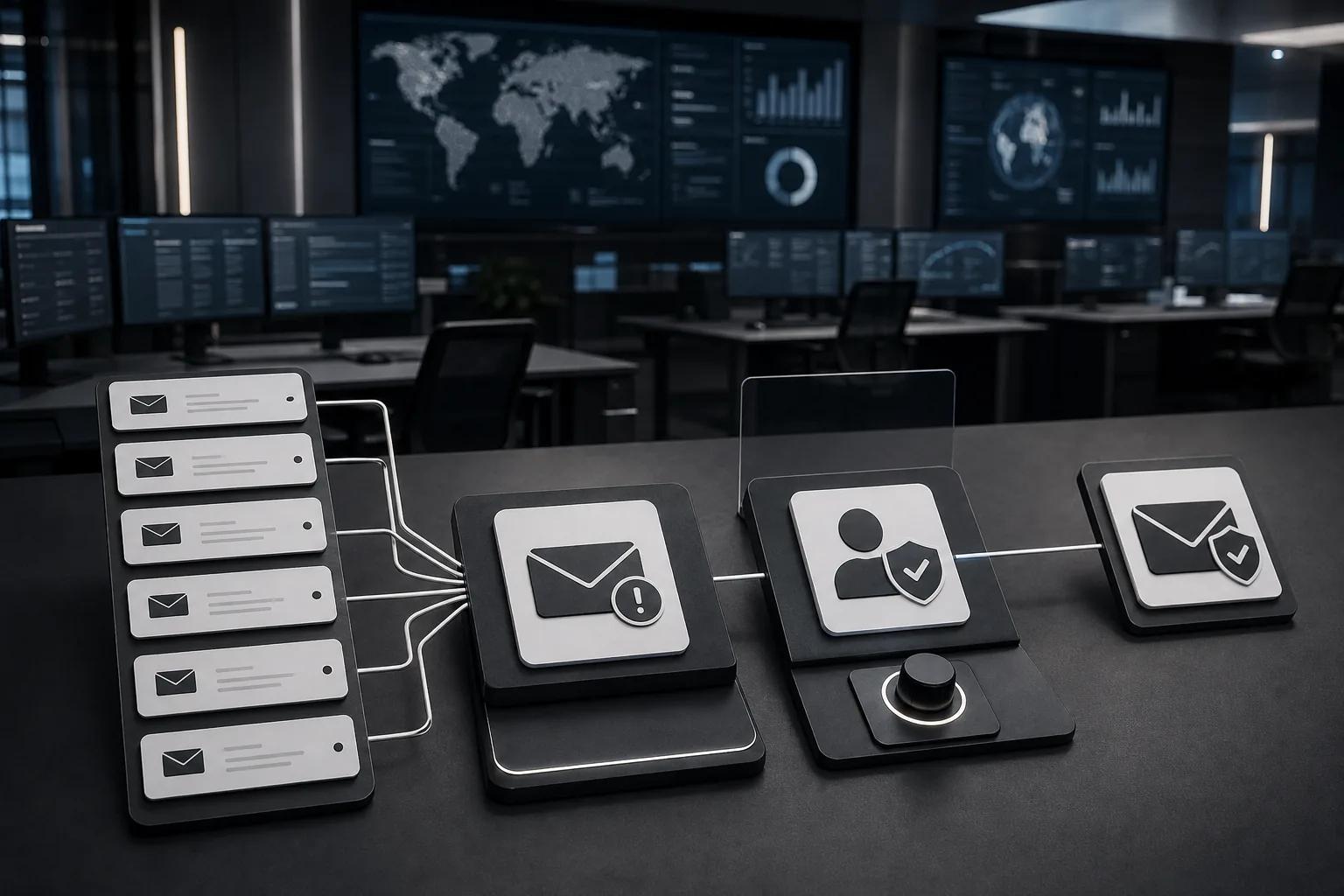
Start with a task that happens often, follows a known pattern, and has a clear way to check the result. Alert enrichment and routing are common first targets because they reduce manual lookups without giving the system broad control over production.
- Phishing: Group related reports, review sender and link details, then prepare a case for an analyst. KnowBe4 PhishER’s PhishRIP removes malicious emails automatically.
- Endpoint malware: Link malware alerts with host activity and help an analyst assess whether isolation is warranted.
- Network traffic: Flag unusual flows and connect them to the affected service or account for further review.
- SIEM and SOC handoffs: Add context to alerts, route cases by priority, and draft a timeline so responders can focus on the investigation.
These use cases differ in how much risk they carry. Enriching an alert is usually easier to reverse than disabling an account or isolating a critical server. Set separate rules for gathering information, proposing a response, and taking action. Don’t treat them as one permission level.
Incident coordination is another useful target. During an outage or security event, responders may join late and need to catch up. Some incident tools now generate AI investigation summaries that draw on incident context and stay with the incident record. That kind of summary can shorten handoffs, but an analyst should still check key claims against the underlying evidence.
To decide whether a workflow is worth automating, measure the work it removes and the errors it could introduce. Track time spent on triage, cases sent to the wrong queue, actions that need reversal, and the share of recommendations accepted by analysts. Include the cost of licenses, integration work, testing, and ongoing review in the business case.
Zylo Technologies can help teams connect custom incident workflows to their current systems when the process spans tools or needs distinct approval rules. For monitoring the AI agent itself, AI agent monitoring and maintenance practices can help teams watch quality, failures, and changes over time.
What should your team automate, and where should people stay in control?
Automate steps that are repeatable, low impact, and easy to verify. Keep people in the approval path when an action could lock out users, interrupt a critical service, remove data, or make a change that’s hard to undo.
A sensible rollout starts with read-only work. Let the system collect evidence, link related events, and draft a response. Have analysts review the output against past cases. Once it performs well for a defined incident type, you can allow low-risk actions such as creating a ticket or applying a known workflow.
For more consequential actions, show the reviewer what the system found and what it plans to do. Require an authorized person to approve the exact target and action. Record the decision. Set a timeout so a stalled approval doesn’t turn into silent permission, and provide a way to stop or roll back the action where possible.
Permissions should match the job. An agent that only triages alerts doesn’t need broad administrator access. Use a separate identity for automated work, give it only the access required, and review that access when the workflow changes. This reduces the damage a mistaken or manipulated action can cause.
Privacy belongs in the design as well. Decide which log fields the model needs, who can see the incident record, and how long evidence should stay available under your organization’s policies. Don’t feed sensitive information into a model unless the data path and access rules allow it.
Our view at Zylo Technologies is simple: automation should redirect human attention, not erase it. If the system can’t explain its recommendation with evidence, keep it in advisory mode. Start by mapping one incident workflow and marking the first action that needs human approval. Our AI agent governance guidance covers ownership, access, and review rules that support that boundary.
Pro Tip
Before enabling an automated action, replay past incidents and check whether the workflow chose the right target, followed its permission limits, and recorded a verifiable result.
FAQ
What is AI automation in incident response?+
AI automation in incident response uses models and workflows to help detect, sort, investigate, and respond to security events. It can connect related alerts, gather evidence, and suggest next steps. The safest systems keep permissions narrow and send high-impact actions to an authorized person for review.
Can AI resolve a security incident on its own?+
Some systems can take approved actions, but many focus on triage, investigation, or response guidance. Full autonomy is a poor default for actions that could disrupt service or affect user access. Define which steps can run alone, require approval for consequential changes, and verify every action afterward.
What should a team automate first?+
Start with frequent, repeatable work such as grouping alerts, adding context, or routing a case. These tasks can save analyst time without giving an AI system broad write access. Test the workflow on past incidents, then expand its role only when your team can check its results and handle failures.
How do you keep AI incident response safe?+
Limit the data and systems the AI can access. Log its recommendations and tool actions. Require human approval for high-impact changes, then verify the outcome. Keep a stop path and review performance as your systems change. If evidence is incomplete or the model is unsure, route the case to a person.
Conclusion
Build incident response automation around evidence, permissions, and human approval, not a promise of full autonomy. Pick one repeatable workflow, map its data and risk, then test it against past incidents before letting it act. If your process crosses several systems or needs custom controls, Zylo Technologies can help design the workflow around your team’s operating rules.
Share this article
About the author

Chief AI Officer and former NVIDIA AI Consultant specializing in enterprise AI strategy and digital transformation.
Author at Zylo
Dr. Aliya Nur Balisani is an AI leader focused on helping organizations adopt artificial intelligence in practical and profitable ways. With experience in enterprise AI strategy, automation, and emerging technologies, she provides insights on generative AI, autonomous systems, business transformation, and the future of intelligent enterprises.