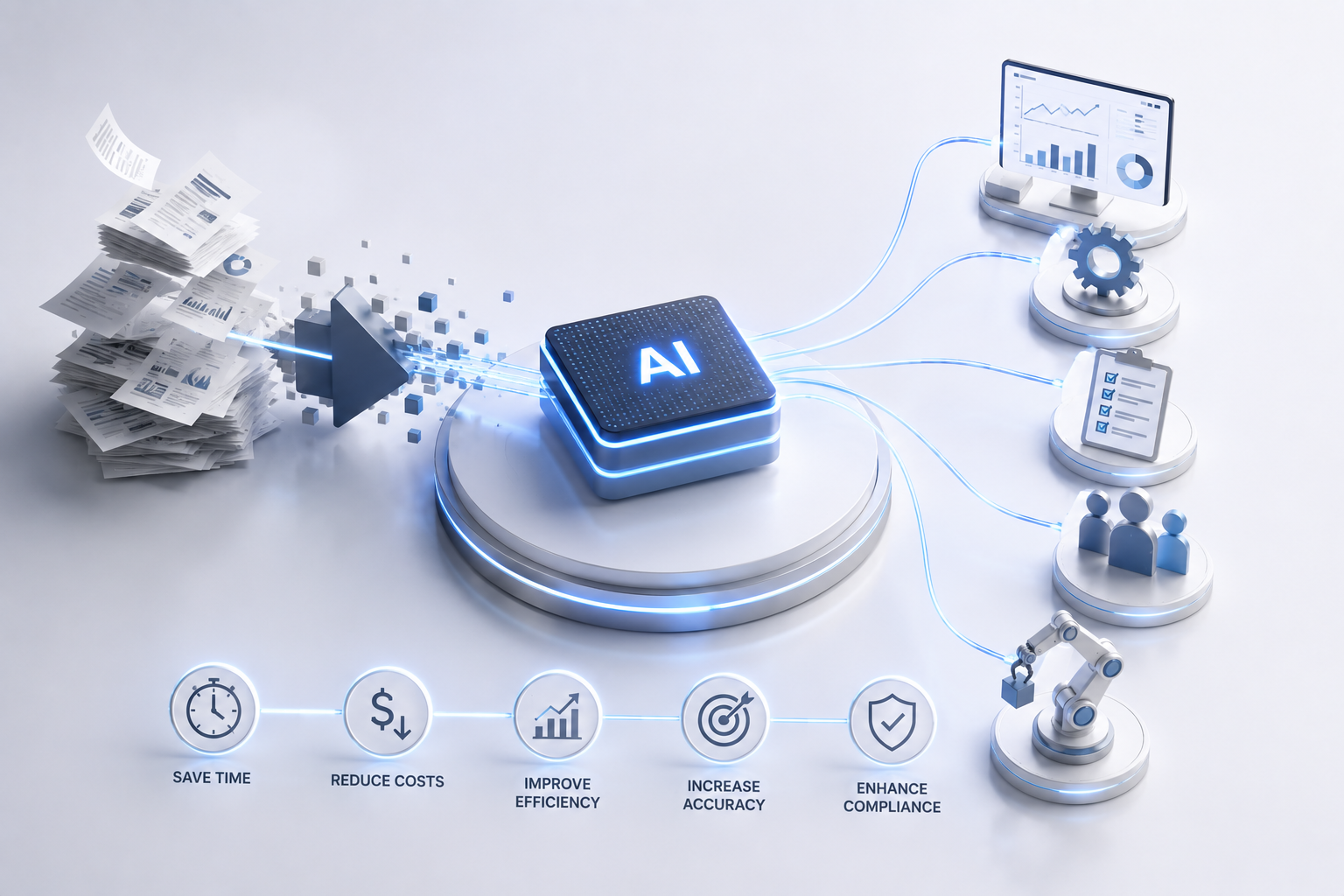
Most manual process problems are not technology problems. They're prioritization problems. Teams automate the wrong things first, then wonder why their AI investment feels underwhelming six months later. This guide walks through the steps that actually work , from identifying which workflows are worth touching to measuring ROI before you scale anything.
Step 1: Identify Which Manual Processes Are Actually Worth Automating
Not every repetitive task deserves an AI solution. Before you build anything, you need a short list of workflows that share three traits: high volume, repeatable logic, and enough historical data for a system to learn from.
Think invoice approval queues, compliance document reviews, customer triage workflows, or demand forecasting loops. These are the right targets. A task a smart junior employee could complete by following a written rulebook is automatable today. A task requiring judgment calls and domain expertise is a longer build that needs a human-in-the-loop design , both are valid, but they belong in different phases.
Run an internal process audit. Talk to your ops managers and frontline team members, not just executives. The workflows that consume the most hours are usually invisible to leadership. Map each candidate against two variables: volume per month and decision complexity. High-volume, low-complexity processes are your quick wins. High-complexity processes with lots of historical data are your long-term investments.
One filter that helps: score each candidate on three dimensions. First, automation potential , how rule-bound is the logic? Second, implementation complexity , how many systems does the workflow touch? Third, ROI impact , what does this cost you in labor hours or error rate right now? That scoring exercise gives you a prioritized roadmap instead of a wish list.
If you want a deeper look at how process selection shapes your entire automation program, the enterprise AI automation platform guide from Zylo Technologies covers this scoping phase in detail, including how to weight volume against decision complexity when ranking candidates.
Pro Tip
Ask your frontline team which tasks they redo every week that feel mindless. Those answers are more useful than any executive survey. The most automatable work is usually the work nobody talks about in strategy meetings.
Step 2: Map the Data Inputs and Outputs for Each Workflow
An AI system is only as good as what it can see, access, and trust. Before you write a single line of agent logic, you need honest answers about your data. Where does it live? Is it clean enough to act on? Who owns it, and how fresh is it?
For each workflow on your shortlist, document every data source the process touches. That means your CRM, ERP, data warehouse, flat files, or all four. Then score each source on reliability. Red means the agent can't trust it without preprocessing. Yellow means it needs validation logic. Green means it can read and act directly. This data dependency map is what separates automation projects that ship from ones that stall in integration hell.
Pay close attention to refresh rates. A real-time feed and a batch export that's 24 hours stale are not interchangeable , they change the architecture you need. If a source only supports legacy flat-file exports, factor in the pipeline cost to normalize those feeds before your agent can use them.
Access controls matter just as much as data quality. Every system your automation touches needs a service account with the right permissions. The principle of least privilege applies: the agent gets exactly the access it needs for its task, nothing more. Document every permission grant at setup time. Authentication and permissions are where most integration projects stall, and they're far easier to get right at the start than to retrofit later.
According to Wikipedia's overview of robotic process automation, one of the most common failure points in automation programs is insufficient data readiness , systems that look viable on paper break down because the underlying data is inconsistent or inaccessible. Mapping your inputs and outputs before you build is the work that prevents that.
Once your data map is complete, you'll also know which workflows are genuinely ready to automate now versus which ones need a data cleanup sprint first. That's a useful forcing function , it stops teams from building on a foundation that will crack.
Step 3: Choose the Right Automation Architecture , Agents vs. Rules vs. RPA
The architecture choice determines how durable your automation is. Pick the wrong model for a workflow and you'll spend more time maintaining it than the manual process ever cost you.
There are three main architecture types to choose from. Rule-based automation works for workflows with fixed, predictable logic , things that don't change. Traditional RPA (Robotic Process Automation) handles UI-based workflows where you need to interact with software interfaces that don't have APIs. AI agents handle ambiguous, multi-step reasoning tasks where the logic varies based on context.
Most mature automation programs end up using a hybrid approach. A deterministic pipeline handles the structured, high-confidence steps. An AI agent handles the ambiguous ones. The two hand off to each other based on confidence thresholds or data conditions. This is what gives you speed without sacrificing accuracy on the decisions that matter.
The wrong move is letting your tooling drive the architecture choice. A team that buys an AI platform and then figures out what to automate is working backwards. Match the architecture to the task, not the other way around. For teams thinking through this decision, understanding what AI automation actually is and how its core technologies differ helps clarify which model fits which workflow.
One more thing worth naming: don't overbuild. Simple document workflows suit intelligent RPA. Complex, multi-step reasoning tasks require LLM-based AI agents. Starting with a heavier architecture than the problem needs adds cost and fragility without adding value.
| Architecture Type | Best For | Limitation | Example Use Case |
|---|---|---|---|
| Rule-Based Automation | Fixed, high-volume logic | Breaks when logic changes | Data validation, form routing |
| RPA | UI-based workflows, legacy systems | Fragile to UI changes | Screen scraping, legacy ERP entry |
| AI Agents | Variable, judgment-intensive tasks | Higher build and governance cost | Invoice extraction, triage routing |
| Hybrid (Pipeline + Agent) | Complex enterprise workflows | More architecture to maintain | Claims processing, onboarding |
Key Takeaway
Match your architecture to the task's complexity and variability , a hybrid pipeline-plus-agent model covers most enterprise workflows, but simpler processes rarely need it.
Step 4: Build for Durability, Not Just Speed

Speed is seductive. A working prototype in two weeks feels like progress. But automation that isn't built to last will cost you more in maintenance than it saves in labor , usually within a year.
Durability starts with governance. Every agent action needs to be logged , not just whether it succeeded or failed, but what data it read, what decision it made, and why. This is governance-grade observability. It's the foundation for regulatory compliance, incident investigation, and debugging when something goes wrong in production.
Build human override paths into every decision point that carries real consequence. An agent that routes a customer complaint can probably act autonomously. An agent that approves a credit line or modifies a patient record needs a human checkpoint. Define those thresholds before you deploy, not after you get a call about a bad decision. Set confidence thresholds so that when the agent's certainty drops below a defined level, it escalates rather than acts.
At Zylo Technologies, we've shipped over 140 automation systems, and the ones that hold up longest share a common trait: governance was designed in from day one, not bolted on after the first incident. Our AI automation and data governance services reflect that , role-based access controls, audit trails, and confidence-based escalation paths are standard components, not optional add-ons.
Production AI systems also drift. Data distributions change. Connectors break when upstream APIs update. A model that performs well at launch will degrade without a retraining schedule and monitoring pipeline. Build those into the platform from the start. Monthly model performance reviews in the first quarter catch drift before it affects output quality. That's not glamorous work, but it's what separates automation that compounds from automation that decays.
For e-commerce and retail teams, this durability principle extends to data management across systems. Product information management tools for Shopify face the same challenge: keeping data consistent and clean across integrations so downstream automation can trust what it reads. The principle is the same regardless of industry , garbage data in means garbage decisions out.
Step 5: Measure ROI Before You Scale
Scaling before you measure is one of the most expensive mistakes in automation. You need to know what's working at the single-process level before you expand to ten more workflows.
Set a baseline before deployment. For the process you're automating, measure: time per transaction, cost per transaction, and error rate. Those three numbers give you a clear before-state. After deployment, measure those same metrics at 30, 60, and 90 days. Don't wait for the quarterly review , early data tells you whether the agent is performing or quietly accumulating errors.
The metrics that matter in the first 90 days are narrow. Track time saved against your baseline. Track error rate compared to the manual process it replaced. Track escalation rate , how often the agent punts to a human tells you whether your confidence thresholds are calibrated correctly. And track adoption rate: if your team is routing around the automation, that's a signal worth understanding before you scale.
Cost savings takes longer to show up in financials, but track it in parallel. Calculate cost per transaction before and after, and factor in the agent's infrastructure cost. Zylo Technologies measures a median 12-month ROI of approximately 3.4× across delivered automation roadmaps , but that number only holds when teams measure honestly from the start rather than assuming the system is working.
Once you have 90 days of clean data showing the automation outperforms the manual process on your key metrics, you have the evidence to scale. For teams working through what enterprise-grade implementation looks like end to end, the enterprise AI workflow automation guide covers production rollout and ROI measurement in more depth.
Common Mistakes That Stall AI Automation Initiatives
Most automation programs don't fail because the technology is wrong. They stall because of decisions made before the first line of code was written.
Starting with the tool, not the process. Buying a platform and then figuring out what to automate is backwards. Tool-first thinking leads to automation shaped around software capabilities rather than business needs. The result is a system your team has to work around.
Skipping the data audit. Teams underestimate how much data preparation the first automation requires. Systems built on inconsistent or inaccessible data drift faster and escalate more. A data readiness audit before build is not optional , it's the work that determines whether the project succeeds.
No human-in-the-loop design. Automation without escalation paths isn't automation , it's a liability. Every consequential decision point needs a defined threshold for human review. According to NIST's AI risk management guidance, human oversight mechanisms are a foundational requirement for responsible AI deployment, particularly in regulated industries.
Treating launch as the finish line. Production is where the real learning starts. Teams that don't build monitoring and retraining schedules into the project scope end up with automation that degrades quietly while the team assumes it's still working.
Scaling before validating. Expanding to ten workflows before you've proven one is how organizations accumulate technical debt across their entire operations stack. Prove the model at the smallest scope first. Fix what breaks. Then expand.
If you're evaluating whether to build custom or use an off-the-shelf platform, the decision comes down to data ownership, industry regulation, and failure tolerance. The guide to custom AI automation solutions walks through those four questions in detail , it's a useful forcing function before you commit to a vendor or architecture.
FAQ
Where do you start when reducing manual processes with AI?+
Start with a process audit, not a tool selection. Identify workflows that are high-volume, follow repeatable logic, and have enough historical data for a system to learn from. Score each candidate by automation potential, implementation complexity, and ROI impact. That gives you a prioritized list rather than a guess. Most teams find their biggest quick wins in invoice processing, customer triage, or document classification.
How long does it take to automate a business process with AI?+
A well-scoped, single-process automation typically reaches production in six to twelve weeks when the data is clean and integrations are mapped in advance. More complex multi-system workflows with governance requirements take longer. At Zylo Technologies, our six-week production cycles apply to well-defined workflows with accessible data. Discovery, data preparation, and integration work add time when those aren't in place before build starts.
What's the difference between RPA and AI agents for process automation?+
Traditional RPA follows fixed rules and interacts with software interfaces , it's good for predictable, UI-based workflows but breaks when interfaces change. AI agents handle variable, judgment-intensive tasks by reasoning over unstructured inputs. Most enterprise automation programs use both: pipelines for structured steps, agents for ambiguous decisions. The right choice depends on how variable the workflow logic is and how much historical data you have.
How do you measure ROI on AI process automation?+
Set a pre-automation baseline for time per transaction, cost per transaction, and error rate. After deployment, measure those same metrics at 30, 60, and 90 days. Also track escalation rate and adoption rate , these tell you whether the system is calibrated correctly and whether your team actually uses it. Cost savings appears in the financials more slowly, so track it in parallel rather than waiting for the quarterly review.
What makes an AI automation system durable over time?+
Durability comes from four things: governance-grade observability (logging every agent action and decision), human override paths at consequential decision points, confidence thresholds that trigger escalation rather than errors, and a retraining schedule built in from day one. Production AI systems drift as data distributions change. Without monitoring and retraining, a system that performs well at launch will degrade silently within months.
Conclusion
The teams that get the most out of AI automation are the ones who do the unglamorous work first: scoping the right processes, auditing their data, choosing an architecture that fits the problem, and designing governance in before launch. If you're ready to move from audit to build, Zylo Technologies' AI automation and process optimization services are built for exactly that , custom systems your team owns, with senior-only delivery pods and a six-week path to production. We respond to new inquiries within 48 hours.
Share this article
About the author

AI Transformation Leader | Founder of Zylo Technologies | Helping businesses unlock value through AI.
Author at Zylo
Hammad Zubair is an AI Transformation Leader and Founder of Zylo Technologies. He helps businesses discover practical AI opportunities that reduce costs, improve efficiency, and accelerate growth. Through AI readiness assessments and transformation strategies, he enables organizations to identify high-impact automation and AI implementation opportunities.